The digital landscape, particularly platforms like Pinterest, operates on a visual economy. In 2025, the demand for fresh, engaging, and trend-aligned imagery has never been higher, yet the resources required for traditional photography – studio time, models, props, and professional photographers – remain substantial. Content creators, marketers, and businesses face the constant challenge of producing a consistent stream of high-quality visuals that not only capture attention but also resonate with current and predicted viral trends. This is where Artificial Intelligence (AI) photo generation emerges as an indispensable solution.
The ability to translate a textual idea into a compelling visual asset within seconds represents a fundamental shift in content creation. For Pinterest, a platform intrinsically linked to discovery, inspiration, and planning, this means an unprecedented opportunity to tap into dynamic trends with agility. This guide serves as your definitive resource for navigating the exciting intersection of AI photo prompts and Pinterest’s viral potential. I will provide a deep exploration of how to construct effective AI prompts, identify and leverage trending aesthetics, and integrate AI-generated imagery into a robust Pinterest strategy. We will move beyond superficial instructions, delving into the nuances of prompt engineering, trend analysis, and ethical considerations. My objective is to equip you with the knowledge and practical prompts necessary to produce stunning, trend-relevant visuals that drive engagement and secure your pins a prominent place in the visual streams of millions. This is not merely a collection of prompts; it is a comprehensive educational framework designed to empower you to become a master of AI visual content for Pinterest.

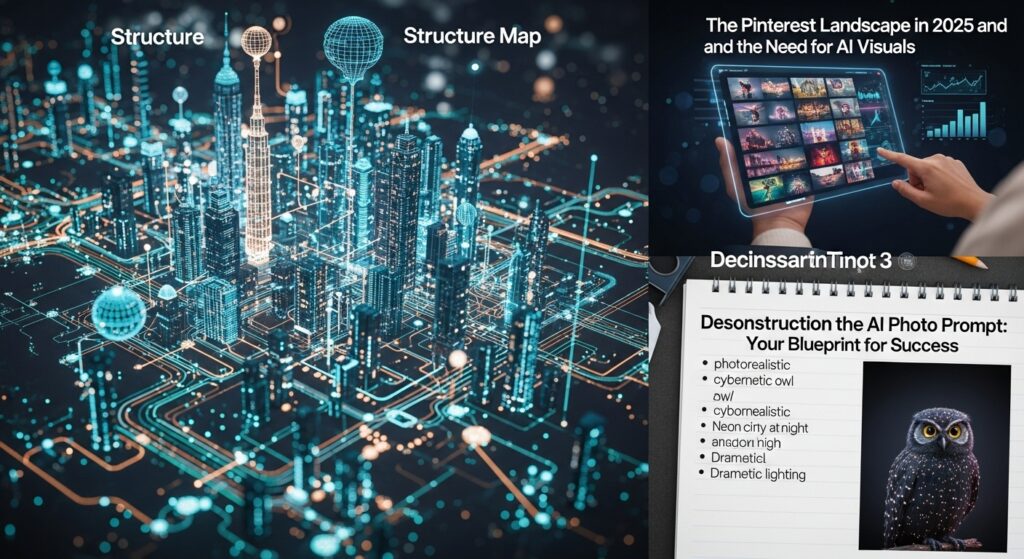
Structure Map
- The Pinterest Landscape in 2025 and the Need for AI Visuals
- Pinterest as a Visual Search Engine: Understanding its Core Function
- Decoding Viral Trends on Pinterest: Identification and Imperative Speed
- Overcoming Limitations of Traditional Content Creation
- Deconstructing the AI Photo Prompt: Your Blueprint for Success
- The Foundational Elements of an Effective Prompt
- Subject Definition
- Style and Artistic Direction
- Setting and Environment
- Mood and Atmosphere
- Lighting Conditions
- Composition and Framing
- Mastering Modifiers and Technical Parameters
- Image Resolution and Aspect Ratio
- Camera Angles and Shot Types
- The Power of Negative Prompts
- The Iterative Process: Refining Prompts for Optimal Results
- The Foundational Elements of an Effective Prompt
- Leveraging AI for Pinterest Trends: Strategic Identification and Execution
- Identifying Emerging Trends with Pinterest Predicts and Analytics
- Translating Trend Insights into AI Visual Concepts
- Integrating AI-Generated Visuals into Your Pinterest Strategy
- 50+ FREE AI Photo Prompts for Pinterest Viral Trends
- Home Decor & Interior Design Trends
- Fashion & Style Innovations
- Food & Beverage Aesthetics
- Travel & Lifestyle Aspirations
- DIY & Craft Inspiration
- Beauty & Skincare Focus
- Education & Productivity Tools
- Seasonal & Holiday Themes
- Niche & Micro-Trends
- Practical Application: Generating and Optimizing AI Visuals for Pinterest
- Selecting the Appropriate AI Image Generator
- Post-Generation Editing and Visual Enhancement
- Pinterest-Specific Optimization Strategies
- Ethical Considerations and Responsible AI Use
- Transparency and Disclosure for AI-Generated Content
- Mitigating Bias and Promoting Inclusivity
- Understanding Copyright and Usage Rights
- Expert Improvement Tips for Advanced AI Pin Creation
- Advanced Prompt Chaining and Layering
- Utilizing Style Reference Images for Consistent Aesthetics
- A/B Testing AI Pin Variations for Performance Optimization
- Precision Control with Strategic Negative Prompts
- Continuous Trend Monitoring and Prompt Adaptation
- Conclusion
- Frequently Asked Questions (FAQ)
The Pinterest Landscape in 2025 and the Need for AI Visuals
Pinterest remains a powerhouse for visual discovery, planning, and purchase intent. As we move further into 2025, its role as a key player in the digital ecosystem solidifies, making the creation of captivating and relevant visuals more critical than ever. AI offers a transformative approach to meet this demand.
Pinterest as a Visual Search Engine: Understanding its Core Function
Pinterest is fundamentally a visual search engine, not solely a social media platform. Users come to Pinterest with intent: to find ideas, plan projects, discover products, and gather inspiration. This means the primary interaction point is the image itself. A compelling visual is the gateway to deeper engagement, clicks, and conversions.
- Definition: Pinterest uses sophisticated algorithms to analyze images, captions, and user behavior to present relevant content. Users input keywords, but the visual outcome significantly influences their journey.
- Why it Matters: In this environment, the quality and relevance of your visuals directly impact visibility. A blurry, uninspired image will be scrolled past, regardless of how well-optimized its description might be. High-quality, trend-aligned visuals are non-negotiable for success. AI allows for the rapid generation of diverse, high-quality images that can cater to very specific search queries and visual preferences, ensuring your content stands out in a crowded feed.
- How AI Fits In: AI tools can generate images tailored to niche aesthetics, specific product placements, or abstract concepts that might be difficult or costly to photograph traditionally. This allows creators to populate their boards with a vast array of unique, visually appealing content that directly addresses user search intent, thereby increasing the likelihood of discovery.
Decoding Viral Trends on Pinterest: Identification and Imperative Speed
Viral trends on Pinterest are dynamic, often emerging from niche communities before expanding rapidly across broader audiences. Identifying and capitalizing on these trends quickly is paramount for maximizing reach and engagement.
- How They Form: Trends can originate from cultural events, fashion weeks, seasonal shifts, celebrity influences, or grassroots movements. Pinterest’s algorithm often amplifies content that gains early traction, creating a feedback loop that propels visuals to viral status.
- How to Identify Them: Pinterest Predicts is an annual report that highlights emerging trends. Beyond this, consistent monitoring of Pinterest’s explore feed, popular searches, and analytics for your own pins can reveal early indicators of trending topics. External trend forecasting sites and social media listening tools also contribute to a comprehensive trend identification strategy.
- Why Speed is Crucial: The lifespan of a viral trend can be short. Being an early adopter means less competition and a greater chance of capturing significant audience share. Traditional content creation methods are often too slow to react effectively to rapidly evolving trends. By the time a photoshoot is planned, executed, and edited, the trend might have peaked. AI photo generation offers the agility required to produce on-trend visuals within hours, not weeks, allowing you to ride the wave of popularity at its inception.
Overcoming Limitations of Traditional Content Creation
Traditional content creation, while valuable, presents several significant hurdles that AI can help overcome.
- Cost: Professional photography, including models, stylists, props, location fees, and editing, can be prohibitively expensive, especially for small businesses or individual creators needing a large volume of unique images.
- Time: The entire process, from conceptualization to final delivery, can take days or even weeks. This delays content publication and makes it difficult to react swiftly to emerging trends.
- Creative Block: Constantly generating fresh ideas and unique visual concepts can lead to creative fatigue. Repetitive visuals can bore an audience and diminish engagement over time.
- Logistical Challenges: Arranging photoshoots requires coordination, travel, and often physical products or specific settings that may not be readily available.
AI photo generation addresses these limitations by offering a scalable, cost-effective, and rapid alternative. It democratizes high-quality visual content creation, enabling anyone to produce stunning imagery that competes with professionally shot photographs, bypassing many of the traditional barriers.
Deconstructing the AI Photo Prompt: Your Blueprint for Success
Creating compelling AI images is less about luck and more about precise communication. An AI photo prompt is not simply a keyword; it is a detailed instruction set that guides the AI model to generate the desired visual. Mastering prompt engineering is the foundation of successful AI visual creation.
The Foundational Elements of an Effective Prompt
Every effective prompt is built upon several core components that collectively define the desired output. Each element adds a layer of detail, narrowing down the AI’s interpretive scope and guiding it towards your vision.
Subject Definition
- Definition: This is the central focus of your image. It could be an object, a person, an animal, a landscape, or an abstract concept. Specificity here is paramount.
- Why it Matters: A vague subject leads to generic or irrelevant outputs. A clearly defined subject helps the AI understand what to prioritize in the image.
- How to Do It: Be as descriptive as possible. Instead of “flower,” try “a single, vibrant red rose, dew drops on its petals.” Instead of “person,” try “a young woman with auburn hair, reading a book.”
- Real-World Example:
- Weak: “Chair”
- Strong: “A minimalist Scandinavian armchair with light wood frame and grey upholstery, in a sunlit living room.”
Style and Artistic Direction
- Definition: This element dictates the overall aesthetic and artistic characteristics of the image. It can refer to art movements, photography styles, or specific rendering techniques.
- Why it Matters: Style gives your image character and ensures it aligns with your brand’s aesthetic or a particular Pinterest trend (e.g., “vintage,” “futuristic,” “cinematic”).
- How to Do It: Use descriptive adjectives or reference specific artistic styles. Examples include “photorealistic,” “hyperrealistic,” “oil painting,” “watercolor,” “cartoon,” “pixel art,” “cyberpunk,” “vaporwave,” “street photography,” “commercial product photography.”
- Real-World Example:
- Weak: “Dog picture”
- Strong: “A golden retriever sitting in a field, captured in a whimsical, storybook illustration style.”
Setting and Environment
- Definition: This describes where the subject is located and its surrounding context.
- Why it Matters: The setting provides crucial context and atmosphere for the subject. A product shot against a plain white background differs significantly from the same product shot within a cozy cafe setting.
- How to Do It: Specify the location, time of day, weather, and any relevant background elements. Examples: “lush rainforest,” “bustling city street at night,” “quiet reading nook,” “underwater coral reef,” “rustic farmhouse kitchen.”
- Real-World Example:
- Weak: “Coffee”
- Strong: “A steaming cup of artisanal latte art on a reclaimed wood table, positioned next to a window overlooking a rainy Parisian street.”
Mood and Atmosphere
- Definition: This element conveys the emotional tone and feeling you want the image to evoke.
- Why it Matters: Mood deeply impacts how viewers perceive and connect with an image. Pinterest users are often seeking to fulfill an emotion or aspiration.
- How to Do It: Use emotional adjectives. Examples: “serene,” “energetic,” “mysterious,” “joyful,” “calm,” “dramatic,” “cozy,” “vibrant.”
- Real-World Example:
- Weak: “Forest”
- Strong: “A dense, ancient forest shrouded in an ethereal mist, evoking a mysterious and tranquil mood.”
Lighting Conditions
- Definition: Describes the type, direction, and intensity of light illuminating the scene.
- Why it Matters: Lighting is critical for setting the mood, highlighting details, and creating depth. Poor lighting can obscure a beautiful subject, while expertly described lighting can make an ordinary subject extraordinary.
- How to Do It: Be specific. Examples: “soft natural light,” “golden hour,” “dramatic chiaroscuro,” “neon glow,” “harsh direct sunlight,” “studio lighting,” “backlit,” “rim light.”
- Real-World Example:
- Weak: “Portrait”
- Strong: “A thoughtful portrait of an elderly woman, illuminated by the warm, soft glow of an antique desk lamp.”
Composition and Framing
- Definition: How the elements within the image are arranged and from what perspective the scene is viewed.
- Why it Matters: Composition guides the viewer’s eye and adds visual interest. Different compositions can emphasize different aspects of the subject.
- How to Do It: Specify common photographic terms. Examples: “close-up,” “wide shot,” “macro shot,” “rule of thirds,” “leading lines,” “Dutch angle,” “overhead shot,” “symmetry,” “depth of field.”
- Real-World Example:
- Weak: “Food”
- Strong: “A vibrant overhead flat lay of a summer salad, arranged with perfect symmetry, shot with a shallow depth of field.”
Mastering Modifiers and Technical Parameters
Beyond the foundational elements, specific modifiers and technical parameters grant even finer control over the AI’s output, pushing the quality and precision significantly.
Image Resolution and Aspect Ratio
- Definition:
- Resolution: The clarity and detail of the image (e.g., 4K, 8K, high detail).
- Aspect Ratio: The proportional relationship between the width and height of the image (e.g., 16:9 for widescreen, 1:1 for square, 2:3 or 9:16 for portrait, ideal for Pinterest).
- Why it Matters: High resolution ensures sharpness, which is crucial for professional-looking Pinterest pins. The correct aspect ratio prevents cropping issues and optimizes for Pinterest’s vertical feed, maximizing screen real estate on mobile devices.
- How to Do It: Include terms like “ultra high resolution,” “4K,” “8K,” “photorealistic detail,” “–ar 9:16” (for vertical pin), “–ar 2:3,” “–ar 1:1.” Specific syntax varies by AI model (e.g., Midjourney uses
--ar). - Real-World Example:
- “A detailed close-up of a vintage record player, chrome reflections, studio lighting, hyperrealistic, 8K, –ar 2:3”
Camera Angles and Shot Types
- Definition: These describe the perspective from which the subject is viewed and the proximity of the “camera” to the subject.
- Why it Matters: Different angles evoke different feelings and emphasize different aspects. A low angle can make a subject appear imposing, while an overhead shot is great for flat lays.
- How to Do It: Use terms like “low angle,” “high angle,” “overhead shot,” “worm’s eye view,” “bird’s eye view,” “eye-level shot,” “extreme close-up,” “medium shot,” “long shot.”
- Real-World Example:
- “An imposing view of a futuristic skyscraper from a worm’s eye perspective, dramatic upward lines, urban night.”
The Power of Negative Prompts
- Definition: These are instructions to the AI about what not to include in the generated image. They act as a filter, removing unwanted elements or correcting common AI generation quirks.
- Why it Matters: Negative prompts are critical for refinement. If your initial prompts result in distorted hands, strange textures, or irrelevant background elements, a negative prompt can instruct the AI to avoid these.
- How to Do It: Use specific syntax for your AI tool (e.g., ” –no [undesired elements]” in Midjourney, or separate negative prompt fields in other tools). Common negative prompts include “blurry, distorted, ugly, extra limbs, bad anatomy, deformed, text, watermark, poorly drawn.”
- Real-World Example:
- “A serene cottagecore bedroom with soft sunlight, pastel colors, vintage lace, –no distorted hands, blurry, text”
Pro Tip: The Iterative Process
Prompt engineering is rarely a one-shot process. Expect to generate multiple variations, analyze what works and what doesn’t, and refine your prompt incrementally. Think of it as a conversation with the AI, where you provide feedback with each iteration. Save successful prompt components for future use.
The Iterative Process: Refining Prompts for Optimal Results
Effective AI image generation is a continuous cycle of creation, evaluation, and refinement. It is rare to get a perfect image on the first attempt, especially with complex prompts.
- Step 1: Initial Prompt Generation: Start with your core idea and a basic, descriptive prompt incorporating the foundational elements. Generate a few images.
- Step 2: Analysis and Feedback: Carefully examine the generated images.
- What aspects are good? What did the AI interpret correctly?
- What aspects are off? Is the style wrong? Is the subject distorted? Are there unwanted elements?
- Is the mood consistent with your vision?
- Step 3: Prompt Modification: Based on your analysis, modify your prompt.
- Add more descriptive words for elements you want to emphasize.
- Introduce negative prompts for elements you want to remove.
- Adjust style, lighting, or composition parameters.
- Experiment with different keywords or synonyms.
- Step 4: Regenerate and Compare: Generate new images with the modified prompt. Compare them to previous versions. Has there been an improvement? Is it closer to your vision?
- Step 5: Repeat: Continue this cycle until you achieve the desired result. This iterative approach is how true prompt mastery is developed. It builds intuition about how the AI interprets different words and phrases.
Warning: Over-Prompting
While specificity is good, avoid overly long or contradictory prompts that confuse the AI. Sometimes, a simpler, well-chosen set of keywords is more effective than a paragraph of redundant or conflicting instructions. Focus on the most impactful descriptors.
Leveraging AI for Pinterest Trends: Strategic Identification and Execution
Successfully integrating AI-generated visuals into your Pinterest strategy requires more than just knowing how to write a prompt. It demands a strategic approach to trend identification and careful execution.
Identifying Emerging Trends with Pinterest Predicts and Analytics
Staying ahead on Pinterest means understanding what’s next, not just what’s current.
- Pinterest Predicts: This annual report, released towards the end of the year, analyzes billions of searches to forecast the top emerging trends for the coming year. It’s a goldmine for content creators, offering categories like home, fashion, beauty, food, travel, and more.
- How to Use It: Study the report thoroughly. Each trend is accompanied by descriptive language and visual examples. These keywords and concepts are perfect starting points for your AI prompts. For instance, if “Coastal Grandma” is a predicted trend, break it down: “coastal” (setting, colors), “grandma” (age, clothing style, props like knitting or tea), “aesthetic” (mood, lighting).
- Pinterest Analytics: Your own analytics dashboard provides invaluable insights into what your specific audience is engaging with.
- How to Use It: Monitor your top-performing pins. Look for patterns in subjects, styles, colors, and keywords. If pins related to “minimalist home office setups” are performing well, it indicates a strong interest in that niche within your audience. This data can inform your AI prompt creation, allowing you to generate more of what your audience already loves. Look at the “Audience Insights” to understand demographic and interest data.
- Trending Searches: Regularly check Pinterest’s “Explore” or “Trending Searches” section. This shows real-time popular queries. While sometimes short-lived, these can provide immediate inspiration for timely content.
Translating Trend Insights into AI Visual Concepts
Once a trend is identified, the next step is to deconstruct it into actionable visual components that an AI can understand.
- Deconstruction: Break down the trend into its core visual elements.
- Example: “Dopamine Dressing” (a fashion trend for bright, mood-boosting colors and playful styles)
- Subject: People wearing vibrant clothing, close-ups of colorful accessories.
- Style: Energetic, playful, modern, street style.
- Colors: Saturated hues, contrasting palettes (e.g., fuchsia, electric blue, lime green, sunny yellow).
- Setting: Urban environments, clean backdrops, pop art-inspired spaces.
- Mood: Joyful, confident, optimistic.
- Lighting: Bright, even, high-key.
- Example: “Dopamine Dressing” (a fashion trend for bright, mood-boosting colors and playful styles)
- Brainstorming Keywords: Generate a list of keywords and phrases associated with each visual element. This creates a vocabulary bank for your prompts.
- Concept Variation: Don’t just create one image per trend. Think about variations:
- Different models/subjects (diverse ages, ethnicities, body types).
- Different angles or compositions.
- Slightly different color palettes or styles within the same trend.
- Incorporate diverse scenarios or product placements.
Integrating AI-Generated Visuals into Your Pinterest Strategy
High-quality AI images are only effective if they are properly integrated into your overall Pinterest strategy.
- Pin Design:
- Dimensions: Always prioritize vertical pins (e.g., 2:3 or 9:16 aspect ratio) for optimal visibility on mobile devices.
- Text Overlays: Add concise, compelling text overlays to your AI images. This can be a headline, a question, or a call to action. Ensure the text is readable and complements the image without obscuring key details.
- Branding: Incorporate your brand logo or colors subtly but consistently.
- Description and Keywords:
- Keyword Richness: Use relevant keywords in your pin title and description. Think about what users would type to find your content. Integrate keywords from your trend research.
- Context and Value: Explain what the pin offers. Is it inspiration? A tutorial? A product idea?
- Call to Action: Encourage users to visit your website, save the pin, or follow your board.
- Board Organization:
- Create dedicated boards for specific trends or themes. This helps organize your content and makes it easier for users to find related ideas.
- Ensure board titles and descriptions are also keyword-optimized.
- Consistency: Regularly publish fresh content. AI allows for a higher volume of unique visuals, so leverage this capability to maintain a consistent presence and continuously test what resonates with your audience.
50+ FREE AI Photo Prompts for Pinterest Viral Trends
This section provides a diverse range of AI photo prompts designed to tap into various Pinterest viral trends, categorized for ease of use. Remember to adapt these with specific details, styles, and negative prompts for optimal results with your chosen AI tool.
Home Decor & Interior Design Trends
These prompts focus on aesthetics, materials, and specific design movements gaining traction in home decor.
- Japandi Living Room: “A serene living room, Japandi aesthetic, minimalist furniture, light wood tones, textured natural fabrics, indoor plants, soft diffused light, a woven rug, a perfectly imperfect ceramic vase, ultra high resolution, –ar 2:3”

- Biophilic Home Office: “A modern home office with biophilic design elements, large windows, abundant natural light, integrated vertical garden, ergonomic wooden desk, comfortable moss-green chair, a view of nature outside, calming atmosphere, 4K, –ar 9:16”

- Sustainable Kitchen: “A rustic yet refined sustainable kitchen, reclaimed wood countertops, open shelving with artisan ceramics, muted earth tones, soft morning light streaming through a window, fresh herbs in pots, cozy and inviting, –no plastic, industrial, –ar 2:3”

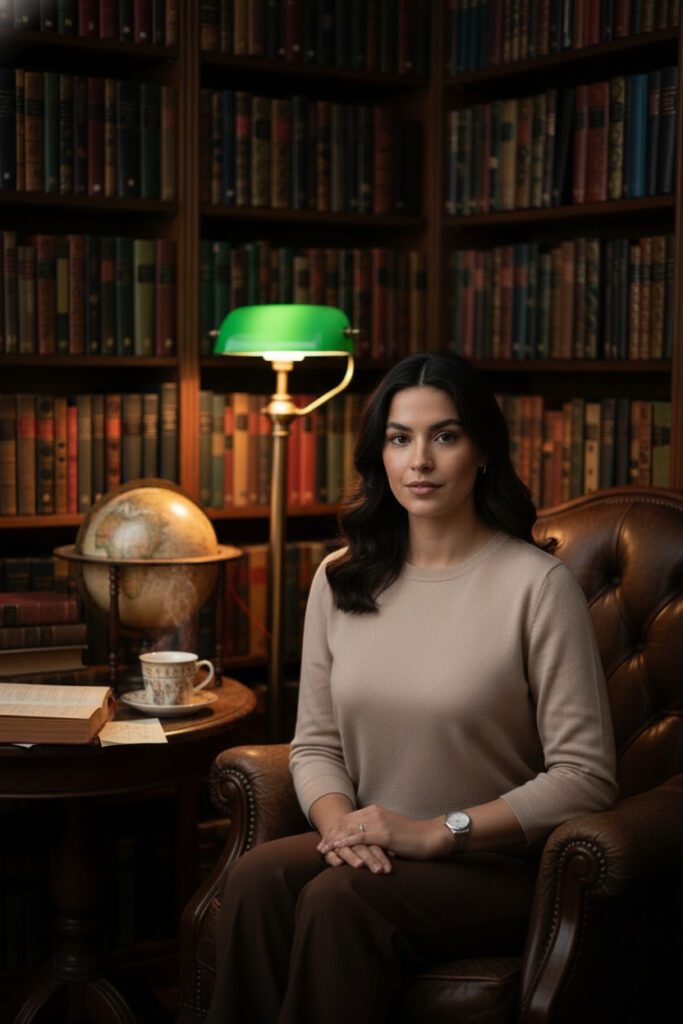
- Dark Academia Library Nook: “A cozy library nook, dark academia aesthetic, richly bound books, vintage leather armchair, antique globe, warm lamplight creating dramatic shadows, a cup of steaming tea, sense of intellectual curiosity, hyperrealistic, –ar 9:16”
- Smart Home Tech Integration: “A sleek, contemporary living space seamlessly integrating smart home technology, subtle futuristic glowing accents, clean lines, minimalist decor, ambient blue and white lighting, a holographic display showing weather, high tech, –ar 2:3”

- Coastal Grandmother Bedroom: “A tranquil bedroom inspired by ‘coastal grandmother’ aesthetic, soft white linens, woven textures, muted blue accents, large window with sheer curtains blowing gently, natural light, a vase of hydrangeas on a bedside table, serene and peaceful, 8K, –ar 9:16”

- Maximalist Eclectic Entryway: “A vibrant maximalist entryway, bold patterned wallpaper, gallery wall with diverse art, antique console table, colorful floral arrangement, quirky decorative objects, dramatic overhead lighting, a playful and inviting mood, high detail, –ar 2:3”

Fashion & Style Innovations
These prompts cover a range of evolving fashion aesthetics, from retro revivals to futuristic concepts.
- Vintage 90s Streetwear: “A young person in vintage 90s streetwear, oversized denim jacket, baggy cargo pants, chunky sneakers, graphic tee, urban backdrop, low-angle shot, energetic and cool, vibrant daylight, 4K, –ar 2:3”

- Gender-Neutral Fashion: “A diverse group of individuals showcasing gender-neutral fashion, flowing silhouettes, comfortable fabrics, muted earthy and pastel tones, minimalist accessories, natural light, clean studio background, empowering and inclusive, –ar 9:16”

- Techwear Street Style: “A person wearing avant-garde techwear fashion, dark practical fabrics, multiple zippers and straps, urban environment at night, neon light reflections, dramatic side lighting, cyberpunk aesthetic, dynamic pose, ultra sharp, –ar 2:3”

- Sustainable Fashion Capsule Wardrobe: “A meticulously organized capsule wardrobe featuring sustainable fashion pieces, neutral colors, natural textures like linen and organic cotton, arranged neatly on a wooden hanger rack, soft window light, clean and intentional, –no fast fashion, synthetic, –ar 9:16”

- Cottagecore Autumn Outfit: “A model in a whimsical cottagecore autumn outfit, flowing floral dress, chunky knit cardigan, wide-brimmed hat, carrying a basket of wildflowers, walking through a sun-dappled meadow, golden hour light, dreamlike, –ar 2:3”

- Professional Work-From-Home Wear: “A stylish yet comfortable professional work-from-home outfit, smart casual blazer over a soft knit top, tailored trousers, elegant slipper shoes, in a well-lit home office, natural light, focused and comfortable, product photography, –ar 9:16”

- Barbiecore Inspired Look: “A vibrant ‘Barbiecore’ inspired fashion look, all-pink ensemble, playful accessories, high heels, strong confident pose, bright studio lighting, bold and fun, –ar 2:3”

Food & Beverage Aesthetics
Focus on appealing presentation, healthy options, and unique culinary trends.
- Gourmet Plant-Based Brunch: “A beautifully arranged gourmet plant-based brunch spread, avocado toast with edible flowers, berry smoothie bowls, artisanal coffee, rustic wooden table, bright natural morning light, overhead flat lay, healthy and delicious, 8K, –ar 2:3”

- Artisanal Coffee Culture: “A skilled barista pouring latte art into a ceramic cup, close-up shot, steam rising, warm ambient cafe lighting, rich coffee tones, rustic wooden counter, high detail, focus on texture and steam, –ar 9:16”

- Micro-Bakery Pastries: “An assortment of exquisite micro-bakery pastries, flaky croissants, perfectly glazed tarts, dusted with powdered sugar, arranged on a vintage baking tray, soft natural light from a window, rustic charm, mouthwatering, –ar 2:3”

- Healthy Meal Prep Bowls: “Multiple colorful healthy meal prep bowls, vibrant vegetables, lean protein, grains, neatly organized in a refrigerator, clean and organized aesthetic, bright lighting, healthy lifestyle, overhead shot, –ar 9:16”

- DIY Cocktail Mixology: “Elegant hands mixing a sophisticated cocktail, vintage glass, fresh garnishes, ice cubes, dark moody bar lighting, reflections on the glass, close-up, dramatic and refined, –ar 2:3”

- Sustainable Seafood Dish: “A perfectly plated sustainable seafood dish, pan-seared scallops with fresh seasonal vegetables, delicate presentation, fine dining aesthetic, soft spotlight, dark background, gourmet, –ar 9:16”

- Comfort Food with a Modern Twist: “A steaming bowl of gourmet macaroni and cheese with a modern twist, truffle oil drizzle, toasted breadcrumbs, served in a rustic ceramic bowl on a wooden table, warm, inviting home kitchen light, cozy and indulgent, –ar 2:3”

Travel & Lifestyle Aspirations
These prompts capture dream destinations, aspirational lifestyles, and wellness-focused experiences.
- Eco-Tourism Adventure: “A person hiking through a lush, untouched rainforest, suspension bridge in the distance, vibrant green foliage, misty atmosphere, natural daylight, adventure and environmental respect, high detail, –ar 2:3”

- Digital Nomad Setup: “A minimalist digital nomad workstation, laptop on a small wooden table, ocean view from a balcony, fresh fruit, coffee, bright tropical daylight, serene and productive, aspirational, –ar 9:16”

- Mindful Wellness Retreat: “A person meditating by a calm lakeside at sunrise, serene landscape, soft pastel colors in the sky, tranquil reflection on water, peaceful and mindful, wide shot, natural light, –ar 2:3”

- Van Life Adventure: “A customized camper van parked by a breathtaking mountain lake at sunset, string lights illuminating the interior, cozy setup, adventure gear, warm golden hour light, sense of freedom and exploration, –ar 9:16”

- Urban Exploration Photography: “A candid shot of someone exploring a vibrant, graffiti-laden alleyway in a historic European city, unique architecture, dramatic shadows, cinematic feel, street photography, –ar 2:3”

- Staycation Luxury: “A luxurious bubble bath setup in a modern bathroom, delicate candles, fragrant bath bombs, a book, soft ambient lighting, relaxation and self-care, elegant, –ar 9:16”

- Cultural Immersion Experience: “A close-up of hands engaging in a traditional craft, intricate details, vibrant colors, authentic cultural setting background (e.g., pottery studio, weaving loom), warm, focused lighting, cultural heritage, –ar 2:3”

DIY & Craft Inspiration
Prompts for creative projects, handmade items, and crafting spaces.
- Upcycled Furniture Project: “A before-and-after composite image of an old wooden dresser transformed into a modern painted piece, clear distinction between states, visible brushstrokes on the ‘after’, well-lit workshop background, DIY inspiration, –ar 2:3”

- Personalized Gifts Handmade: “A flat lay of various personalized handmade gifts, custom embroidered textiles, hand-painted mugs, calligraphed cards, rustic twine, natural light, heartfelt and unique, craft fair aesthetic, –ar 9:16”

- Beginner-Friendly Pottery: “Hands working on a pottery wheel, shaping wet clay, focused close-up, earthy tones, natural light, sense of creation and calm, pottery studio background, –ar 2:3”

- Knitting Cozy Sweaters: “A close-up of intricate knitting stitches, soft wool yarn in pastel colors, a half-finished cozy sweater, warm inviting light, a cup of tea nearby, hobby and relaxation, –ar 9:16”

- DIY Home Organization Hacks: “An aesthetically pleasing display of DIY home organization hacks, labeled containers, woven baskets, neatly folded laundry, clean and bright aesthetic, focus on functionality and beauty, –ar 2:3”

- Resin Art Jewelry Making: “A vivid close-up of colorful resin art jewelry components, sparkling pigments, clear resin, hands carefully arranging dried flowers or glitter, well-lit crafting table, creative process, –ar 9:16”

- Macrame Wall Hanging Tutorial: “A step-by-step visual sequence of creating a intricate macrame wall hanging, focus on knot details, natural cotton ropes, soft studio lighting, craft education, –ar 2:3”

Beauty & Skincare Focus
Capturing product aesthetics, routine visuals, and makeup trends.
- Minimalist Skincare Routine: “A flat lay of essential minimalist skincare products, sleek packaging, clean white or pastel background, fresh green leaf accent, soft studio lighting, focus on simplicity and efficacy, –ar 2:3”

- Clean Beauty Product Flat Lays: “An elegant flat lay of clean beauty products, natural ingredients visible (e.g., small flowers, herbs), sustainable packaging, muted earth tones, soft diffused light, focus on natural beauty, –no chemicals, harsh colors, –ar 9:16”

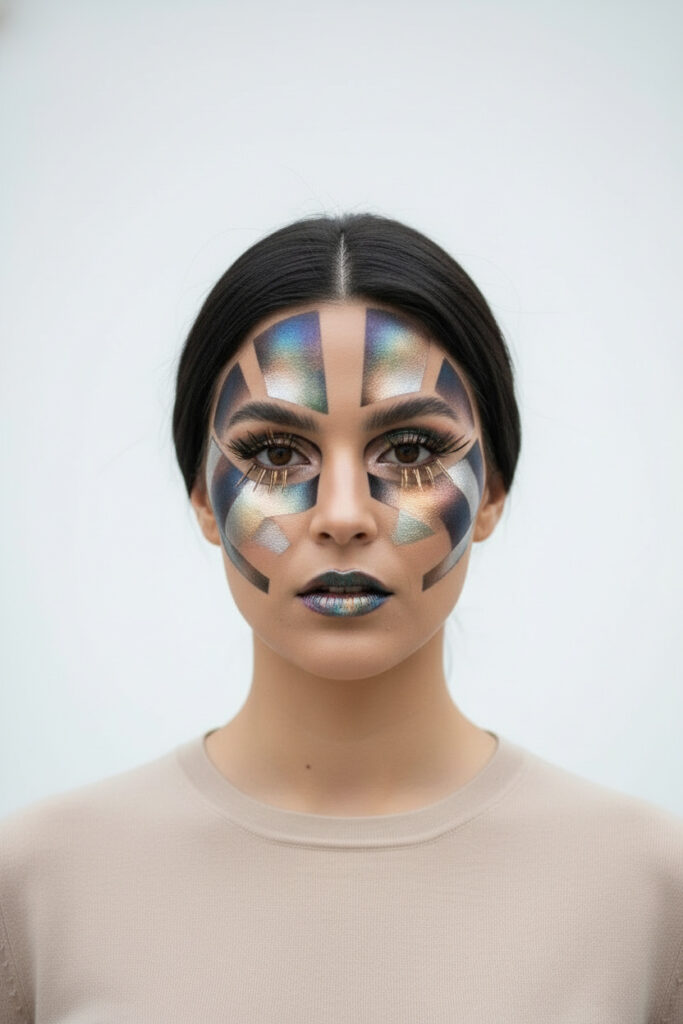
- Futuristic Makeup Looks: “A bold, avant-garde makeup look with metallic accents, geometric shapes, iridescent colors, close-up portrait of a model, dramatic lighting, high fashion, futuristic, –ar 2:3”
- DIY Hair Mask Ingredients: “A bowl of natural ingredients for a DIY hair mask (e.g., avocado, honey, coconut oil), arranged on a rustic wooden board, soft kitchen light, natural and homemade beauty, –ar 9:16”

- Gender-Neutral Grooming Products: “A sleek arrangement of gender-neutral grooming products, minimalist design, dark packaging, clean bathroom counter, modern and inclusive, professional product shot, –ar 2:3”

- Sustainable Hair Care Routine: “A set of sustainable hair care products (shampoo bar, bamboo brush, reusable bottles), arranged on a natural stone surface, soft, eco-friendly aesthetic, bright, clean lighting, –ar 9:16”

- Everyday Natural Makeup Tutorial Visuals: “A series of sequential images depicting a natural, ‘no-makeup’ makeup routine, subtle enhancement, fresh glowing skin, clean light, focus on subtle steps, –ar 2:3”

Education & Productivity Tools
Visuals for study inspiration, planning, and efficient work.
- Aesthetic Study Spaces: “A beautifully organized aesthetic study space, minimalist desk, warm ambient lighting, open textbook, a cup of coffee, indoor plant, cozy and focused, ideal for productivity, –ar 2:3”

- Digital Planning Layouts: “A close-up of a tablet screen displaying a clean, organized digital planner layout, vibrant colors, handwritten digital notes, a stylus resting on the screen, bright creative lighting, productivity focus, –ar 9:16”

- Focus Techniques & Tools: “A person wearing noise-canceling headphones, focused on a laptop screen, subtle blur in the background, clean workstation, emphasis on concentration, soft, focused lighting, study motivation, –ar 2:3”

- Skill Development & Learning: “Hands holding a sketchbook and a pen, illustrating intricate details, alongside a partially erased blackboard with equations, creative learning, natural light, intellectual growth, –ar 9:16”

Seasonal & Holiday Themes
Timely visuals for seasonal events and celebrations.
- Autumn Cozy Hygge: “A cozy autumn ‘Hygge’ scene, chunky knit blanket, steaming mug of hot cocoa, fall leaves scattered gently, warm glowing fireplace in background, soft lamplight, inviting and warm, –ar 2:3”

- Winter Wonderland Decor: “A festive winter wonderland interior, twinkling fairy lights, frosted pine branches, white and silver decor, soft snowy glow from windows, magical and elegant, –ar 9:16”

- Summer Outdoor Living: “A vibrant summer outdoor living space, comfortable patio furniture, string lights, grilling station, lush green garden backdrop, warm evening sun, relaxed and social, –ar 2:3”

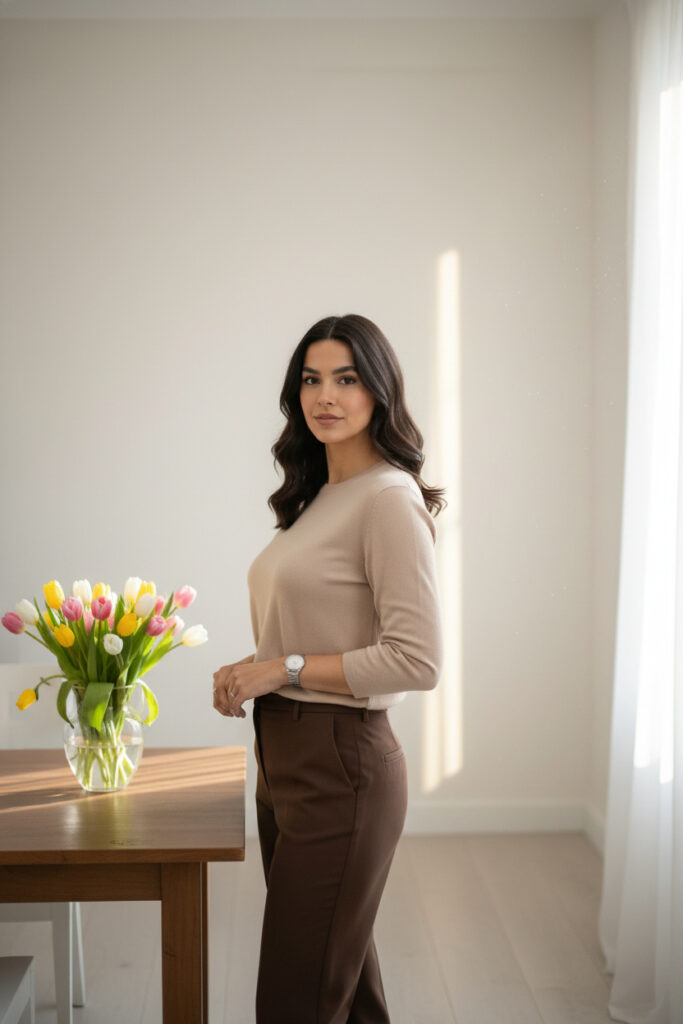
- Spring Refresh & Rejuvenation: “A bright spring scene, freshly cleaned and decluttered room, vase of fresh tulips, sunbeams streaming through window, light and airy, sense of renewal, –ar 9:16”
Niche & Micro-Trends
Targeting specific, often emerging, sub-aesthetics.
- Cottagecore Variations (e.g., ‘Goblincore’): “A Goblincore aesthetic scene, mossy forest floor, collection of interesting mushrooms, shiny pebbles, intricate root structures, subtle fantasy elements, dark earthy tones, misty morning light, magical, –ar 2:3”

- Eclectic Witchy Decor: “A dimly lit room with eclectic witchy decor, crystal ball, tarot cards, dried herbs, flickering candlelight, rich velvet textures, mystical and atmospheric, –ar 9:16”

- Retro Futurism (80s Synthwave): “A vibrant retro-futuristic cityscape at sunset, neon lights, 80s synthwave aesthetic, driving on an empty highway, purple and pink hues, chrome reflections, high energy, –ar 2:3”

- Grandmillennial Interior Design: “A vibrant ‘Grandmillennial’ interior design, modern patterns mixed with traditional chintz, curated antique pieces, layered textiles, bright and cheerful, floral motifs, sunlight, –ar 9:16”

- Vaporwave Aesthetics (Dreamy Landscapes): “A dreamlike vaporwave landscape, pastel pink and blue skies, Greek statues in a digital ocean, subtle glitches, low fidelity, nostalgic and surreal, –ar 2:3”

Remember to iterate on these prompts, adding or subtracting details to perfectly match your vision and the specific trend you are targeting. The more descriptive and precise you are, the better the AI will understand and generate the image you desire.
Practical Application: Generating and Optimizing AI Visuals for Pinterest
Having a compelling prompt is the first step. The next involves choosing the right tools, refining the output, and optimizing it specifically for the Pinterest platform.
Selecting the Appropriate AI Image Generator
Various AI image generators are available, each with its strengths, stylistic tendencies, and pricing models. The choice often depends on your specific needs, budget, and desired aesthetic.
- Midjourney: Known for its artistic and often highly stylized outputs. It excels at creating aesthetically pleasing and imaginative images with a strong sense of mood and atmosphere. Its text interpretation is generally sophisticated.
- Pros: High artistic quality, excellent for conceptual or aesthetic-driven visuals, responsive community.
- Cons: Primarily accessible via Discord, sometimes requires more nuanced prompting for photorealism, can be resource-intensive for beginners.
- Best For: Creating unique, stylized visuals for fashion, art, abstract concepts, or highly atmospheric scenes.
- DALL-E 3 (integrated with ChatGPT Plus/Copilot): Offers a strong balance between creativity and realistic output. It’s particularly good at interpreting complex textual prompts and rendering specific objects accurately.
- Pros: Excellent understanding of complex prompts, good for photorealism, accessible interface through ChatGPT, can generate text within images (though still imperfect).
- Cons: Sometimes less ‘artistic’ than Midjourney for highly stylized outputs, potentially fewer direct artistic controls compared to dedicated image AI.
- Best For: Product shots, realistic scenarios, illustrative content where precise object representation is crucial, and rapid prototyping.
- Stable Diffusion (various interfaces like Automatic1111, DreamStudio): An open-source model that offers immense flexibility and customization, especially if run locally. Cloud-based versions like DreamStudio offer easier access.
- Pros: Highly customizable (via checkpoints, LoRAs, ControlNet), ideal for fine-tuning specific styles or generating variations from existing images, potential for limitless creativity for advanced users.
- Cons: Can have a steeper learning curve for advanced features, requires powerful hardware if run locally, consistency can be challenging without deep knowledge.
- Best For: Users who want maximum control, artists, specific niche aesthetics, or those willing to invest time in learning advanced techniques.
Pro Tip: Experimentation is Key
Don’t commit to a single AI tool immediately. Experiment with free trials or lower-tier subscriptions of several platforms to see which one best aligns with your prompt engineering style and the aesthetic you aim to achieve for your Pinterest content. Each AI has its own ‘personality’ in interpreting prompts.
Post-Generation Editing and Visual Enhancement
Raw AI-generated images, while often impressive, can almost always benefit from a touch of post-processing to elevate them to Pinterest-ready quality.
- Basic Retouching:
- Color Correction: Adjust brightness, contrast, saturation, and white balance to make the image pop and align with your brand’s color palette. Tools like Adobe Lightroom, Photoshop Express, or free online editors like Canva or Fotor are excellent for this.
- Sharpening: Enhance details and make the image crisper, but use sparingly to avoid an artificial look.
- Noise Reduction: If the AI output has any digital noise, apply subtle noise reduction.
- Cropping and Resizing: Ensure the image fits Pinterest’s preferred vertical aspect ratio (2:3 or 9:16) without distorting the main subject.
- Branding Elements:
- Logo Placement: Discreetly add your brand logo to the image. Ensure it’s not intrusive but still visible.
- Text Overlays: Add engaging text overlays that include your pin title, a compelling question, or a call to action. Use readable fonts and contrasting colors. This is crucial for capturing attention in the Pinterest feed.
- AI Upscaling and Enhancement: If your initial AI output is not high enough resolution, utilize AI upscaling tools (e.g., Topaz Gigapixel AI, free online upscalers) to increase resolution without significant loss of quality. Some AI generators offer this as a built-in feature.
Pinterest-Specific Optimization Strategies
To maximize the reach and impact of your AI-generated visuals on Pinterest, they must be optimized according to the platform’s best practices.
- Pin Dimensions:
- Vertical Focus: Always prioritize a vertical aspect ratio. Pinterest recommends 2:3 (e.g., 1000px width x 1500px height) or 9:16 for Idea Pins. These dimensions occupy more screen real estate, increasing visibility and engagement.
- Description Writing and Keyword Integration:
- Rich Description: Write a detailed, keyword-rich description (200-500 characters). Don’t just list keywords; integrate them naturally into sentences that describe the image, its relevance to a trend, and how it can inspire the user.
- Target Keywords: Use keywords identified from your trend research (Pinterest Predicts, trending searches) in your title and description.
- Hashtags: Include 5-10 relevant hashtags. Mix broad and niche hashtags to maximize reach.
- Board Organization:
- Thematic Boards: Create well-named, descriptive boards that align with specific themes, aesthetics, or trends. For example, instead of just “Home Decor,” create “Japandi Living Room Ideas 2025” or “Sustainable Kitchen Designs.”
- Board Descriptions: Optimize your board descriptions with keywords as well.
- Calls to Action (CTAs):
- Encourage users to save, comment, or click through to your website or blog post. AI-generated pins can serve as powerful visual hooks to drive traffic to your other content.
- Consistency and Freshness:
- Regular Posting: Maintain a consistent posting schedule. AI allows you to generate a high volume of unique, on-trend visuals quickly, so leverage this to keep your content fresh and continuously test what resonates with your audience.
- Variety: Don’t just generate one type of image. Experiment with different styles, subjects, and compositions to keep your boards dynamic and appealing to a wider audience.
Ethical Considerations and Responsible AI Use
As AI-generated content becomes more prevalent, understanding and adhering to ethical guidelines is paramount. Responsible use fosters trust and ensures a positive impact.
Transparency and Disclosure for AI-Generated Content
- Why it Matters: Audiences generally appreciate transparency. Disclosing that an image is AI-generated builds trust and prevents potential misunderstandings or accusations of misrepresentation. It also educates your audience about the capabilities of AI.
- How to Implement:
- Watermarks/Labels: Consider adding a subtle watermark or text overlay indicating “AI Generated” or similar.
- Pin Descriptions: Clearly state in your pin description that the image was created using AI. For example, “Image created with AI for aesthetic inspiration.”
- Contextual Disclosure: If the image is part of a blog post, include a disclaimer in the post itself.
Mitigating Bias and Promoting Inclusivity
AI models are trained on vast datasets, and these datasets can sometimes reflect existing societal biases, leading to stereotypical or unrepresentative outputs (e.g., certain professions always being represented by a single gender, or a lack of ethnic diversity).
- Why it Matters: Perpetuating bias through AI-generated images can alienate audiences, reinforce harmful stereotypes, and damage your brand’s reputation. Pinterest, as an aspirational platform, benefits from diverse and inclusive content.
- How to Implement:
- Specific Prompts: Actively prompt for diversity. Instead of “a CEO,” try “a diverse group of CEOs, varying ethnicities and genders.” For people, specify age ranges, body types, and cultural backgrounds.
- Review and Reject: Critically review AI outputs. If an image displays bias, regenerate with a modified prompt or reject it.
- Broad Representation: Ensure your overall collection of AI pins showcases a broad range of people, lifestyles, and aesthetics, challenging narrow representations.
Understanding Copyright and Usage Rights
The legal landscape surrounding AI-generated content is still evolving, particularly regarding copyright and ownership.
- Why it Matters: Unauthorized use of copyrighted material (even if an AI creates it from existing works) can lead to legal issues. Understanding the terms of service for your chosen AI generator is crucial.
- Key Considerations:
- AI Tool Terms of Service: Each AI generator (Midjourney, DALL-E, Stable Diffusion) has its own terms regarding ownership and commercial use of generated images. Read these carefully. Some allow commercial use, others might restrict it or require specific attribution.
- Originality: While the AI creates the image, the prompt is your creative contribution. The question of whether an AI-generated image can be copyrighted in the same way as human-created art is complex and varies by jurisdiction.
- Source Material: Be mindful that if your prompt heavily references copyrighted styles or characters, even if the AI generates a new image, there could be indirect infringement concerns. Aim for original interpretations rather than direct copies.
- Fair Use: If you are generating images for inspiration or commentary, principles of fair use might apply, but this is a legal defense and not a license to copy.
- Attribution: When in doubt, provide attribution to the AI tool used, alongside your disclosure.
Warning: Do Not Misrepresent AI Content
Never present AI-generated images as authentic photographs of real people, places, or events if they are not. This can lead to severe reputational damage and legal issues, especially if the content is misleading or harmful.
Expert Improvement Tips for Advanced AI Pin Creation
Moving beyond basic prompt engineering, these advanced strategies allow for greater precision, consistency, and impact in your AI-generated Pinterest visuals.
Advanced Prompt Chaining and Layering
This technique involves breaking down a complex visual idea into distinct components and then either combining them sequentially or assigning weights to different parts of the prompt.
- How it Works: Instead of a single, monolithic prompt, you can use multiple distinct clauses or even separate prompts to build an image. Some AI tools allow for ‘prompt weighting’ (e.g.,
subject::2 style::1) to tell the AI which elements are more important. Other tools allow for “multi-prompting” where different ideas are combined. - Why it Matters: It gives you finer control over how the AI interprets and combines different elements. If you want a specific subject in a particular setting with a distinct mood, chaining helps ensure all elements are present and balanced.
- Example:
- Initial Idea: “A cozy reading nook with a cat and coffee.”
- Chained Prompt (conceptual):
cozy reading nook::2 warm atmosphere::1 vintage armchair::1 sleeping cat::1 steaming coffee cup::0.5 soft golden hour light::1 --ar 2:3(weights are illustrative and syntax varies by tool). - Benefit: Ensures the “reading nook” and “warm atmosphere” are prioritized, with the cat and coffee as secondary but important elements, rather than just a jumble of objects.
Utilizing Style Reference Images for Consistent Aesthetics
Many advanced AI image generators allow you to upload a reference image to guide the AI’s artistic style. This is incredibly powerful for maintaining brand consistency or replicating a specific visual feel.
- How it Works: You provide a text prompt along with an image URL or uploaded file. The AI then attempts to generate new content that matches the style (colors, textures, composition, artistic quality) of the reference image, while still adhering to your text prompt’s subject matter.
- Why it Matters: Critical for branding. If you have a specific visual identity (e.g., a certain photographic filter, a distinct color palette, or a unique illustration style), a reference image ensures all your AI-generated pins maintain that consistent look, making your Pinterest presence instantly recognizable.
- Example: Upload an image of your brand’s existing product photography.
- Text Prompt: “A new sustainable beauty product in minimalist packaging, on a stone plinth, studio lighting, –ar 2:3”
- Reference Image: [URL to an existing product shot with your desired clean, bright, and slightly textured aesthetic].
- Benefit: The AI will generate the new product in a style highly consistent with your existing brand imagery, saving editing time and ensuring visual cohesion.
A/B Testing AI Pin Variations for Performance Optimization
Just like with traditional marketing, testing different versions of your AI-generated pins can reveal which elements resonate most with your audience.
- How it Works: Generate multiple variations of an AI image for the same Pinterest concept. These variations could involve:
- Slightly different compositions (e.g., close-up vs. wider shot).
- Different color palettes or lighting moods.
- Variations in text overlays or call to actions.
- Different aesthetic styles (e.g., photorealistic vs. illustrated).
- Why it Matters: Pinterest’s algorithm favors engaging content. By A/B testing, you gain data-driven insights into what visual elements, styles, or messaging lead to higher saves, clicks, and engagement, allowing you to optimize your future content strategy.
- Example:
- Pin A: “A serene Japandi living room, bright daylight, minimalist text overlay.”
- Pin B: “A cozy Japandi living room, warm ambient light, engaging question as text overlay.”
- Analysis: Monitor which pin performs better in terms of impressions, saves, and outbound clicks. Use these insights to refine your preferred AI prompt styles.
Precision Control with Strategic Negative Prompts
While covered earlier, advanced users leverage negative prompts not just for removing obvious flaws, but for fine-tuning the desired aesthetic and preventing subtle deviations.
- How it Works: Beyond basic “blurry, deformed,” advanced negative prompts can include:
- Specific colors to avoid: “–no red, vibrant blue” if you want a muted palette.
- Unwanted textures or materials: “–no plastic, glossy, chrome” if aiming for natural, matte finishes.
- Undesired moods or elements: “–no sad, gloomy, cluttered, modern” if you want a vintage, cheerful, minimalist feel.
- Why it Matters: This allows for a more “subtractive” approach to prompt engineering. Instead of trying to describe every single desired element, you define the core idea and then systematically remove everything that deviates from it, achieving a much cleaner and more precise output.
- Example:
- Prompt: “A traditional English garden, blooming roses, stone pathway, afternoon sun, –no vibrant colors, modern architecture, fantasy elements, overgrowth”
- Benefit: Ensures a classic, restrained garden feel, preventing the AI from adding overly bright hues, contemporary buildings, magical creatures, or untamed wildness.
Continuous Trend Monitoring and Prompt Adaptation
The digital world is constantly evolving. What’s viral today might be passé tomorrow. A static set of prompts will quickly become irrelevant.
- How it Works: This involves establishing a routine for:
- Regular Pinterest Predicts Review: Even after the initial annual report, Pinterest often releases quarterly or bi-annual trend updates.
- Competitor Analysis: Observe what types of visuals your successful competitors are posting and what’s gaining traction in their niches.
- Social Listening Tools: Use tools to monitor keywords and hashtags across various platforms to catch emerging trends early.
- Google Trends and Niche Forums: Explore broader search trends and discussions in specific communities related to your niche.
- Why it Matters: To maintain a competitive edge and ensure your Pinterest content remains fresh and relevant, your AI prompts must adapt. This proactive approach ensures you’re always creating visuals that align with current and anticipated audience interests.
- Example: If “Cottagecore” evolves into “Dark Cottagecore” or “Goblincore,” your prompts need to shift from “bright, airy, floral” to “moody, earthy, forest floor, moss, mushrooms.”
- Initial Prompt: “A bright cottagecore picnic, sunny meadow, woven basket, white lace”
- Adapted Prompt (for Goblincore): “A mysterious goblincore forest floor, mossy roots, intricate mushroom clusters, dew drops, muted earthy tones, low key lighting, whimsical but dark”
- Benefit: Keeps your content aligned with the nuances of evolving trends, ensuring continued engagement.
By implementing these advanced tips, you can transform your AI image generation process from a simple tool into a sophisticated creative engine, producing Pinterest visuals that are not only stunning but also strategically optimized for viral success.
Conclusion
The convergence of Artificial Intelligence and visual platforms like Pinterest represents a monumental shift in content creation, offering unparalleled opportunities for creators, marketers, and businesses in 2025 and beyond. This guide has systematically broken down the intricate process of leveraging AI photo prompts to tap into Pinterest’s viral trends, providing a comprehensive framework from fundamental prompt engineering to advanced optimization strategies.
We have established that Pinterest’s nature as a visual search engine necessitates high-quality, relevant imagery, and that AI is the definitive solution to overcome the traditional barriers of cost, time, and creative bandwidth. By deconstructing the anatomy of an effective prompt – detailing subjects, styles, settings, moods, lighting, and composition – I have provided you with the precise language to communicate your vision to AI models. Furthermore, the extensive collection of 50+ categorized prompts offers immediate, actionable starting points for diverse niches, ensuring you have the tools to begin generating stunning visuals today.
Beyond creation, we explored the crucial role of strategic integration: identifying trends through Pinterest Predicts and analytics, translating those insights into visual concepts, and optimizing your pins for maximum impact on the platform. The ethical considerations around transparency, bias, and copyright were also addressed, reinforcing the importance of responsible AI use in maintaining trust and credibility. Finally, the expert improvement tips push the boundaries of what is possible, enabling you to refine your prompting techniques, maintain visual consistency, and adapt to the ever-changing digital landscape.
The future of visual content on Pinterest is dynamic, and AI stands at its forefront. By applying the knowledge and prompts provided in this guide, you are not just generating images; you are crafting compelling visual stories that resonate with millions, driving discovery, inspiration, and engagement. Embrace these tools, refine your craft, and unlock the viral potential of your Pinterest presence.
Frequently Asked Questions (FAQ)
1. Is AI-generated content allowed on Pinterest?
Yes, AI-generated content is generally allowed on Pinterest. However, Pinterest’s community guidelines emphasize authenticity and relevance. It’s crucial not to use AI to generate misleading, harmful, or spammy content. Transparency is also highly recommended; while not strictly mandated by Pinterest, clearly labeling AI-generated images helps build trust with your audience. Avoid creating images that could be mistaken for real people or events if they are not.
2. Which AI image generator is best for Pinterest?
The “best” AI image generator depends on your specific needs, desired aesthetic, and budget.
- Midjourney is excellent for highly artistic, imaginative, and aesthetically pleasing visuals, ideal for mood boards, abstract concepts, or stylized fashion.
- DALL-E 3 (via ChatGPT Plus/Copilot) offers a strong balance of realism and creative interpretation, performing well for product shots, specific object generation, and more complex scenes with good textual understanding.
- Stable Diffusion offers unparalleled customization for advanced users willing to learn its intricacies, allowing for highly specific styles and fine-tuned results.
Many creators use a combination of these tools for different purposes. It’s advisable to experiment with their free tiers or trial periods to see which aligns best with your workflow and desired outputs.
3. How often should I post AI-generated pins on Pinterest?
Consistency is key on Pinterest. There isn’t a magic number, but a strategy of consistent, high-quality posting is more effective than sporadic bursts. With AI, you have the capacity to generate a higher volume of unique content rapidly. Aim for daily posting if possible, or at least 3-5 times a week. The goal is to keep your boards fresh, relevant, and continuously testing what resonates with your audience. Focus on quality and strategic relevance over simply flooding the platform.
4. Can I make money with AI-generated pins on Pinterest?
Absolutely. AI-generated pins can be a powerful tool for various monetization strategies:
- Affiliate Marketing: Create stunning visuals for products you recommend, linking directly to affiliate offers.
- Driving Traffic: Generate captivating pins that link to your blog posts, e-commerce store, or services. The high-quality visuals act as a strong hook.
- Product Mockups: Design AI-generated mockups for products (e.g., t-shirts, mugs, digital art) that you sell on platforms like Etsy or Shopify.
- Selling AI Art: You can sell the AI-generated images themselves as digital art, prints, or stock photos (adhering to the AI generator’s commercial use terms).
- Lead Generation: Use pins to drive traffic to landing pages for email list building or consultations.
The potential for monetization is significant, limited only by your creativity and strategic planning.
5. What if my AI prompts don’t produce the desired images?
This is a common experience and part of the iterative process of prompt engineering. Here’s a troubleshooting guide:
- Be More Specific: Add more descriptive adjectives for subject, style, lighting, mood, and composition.
- Simplify: Sometimes, a prompt is too long or convoluted. Try breaking it down into core elements.
- Use Negative Prompts: Actively tell the AI what not to include (e.g., “–no blurry, deformed, modern”).
- Experiment with Keywords: Try synonyms or different phrasing. “Vibrant” might yield different results than “bright.”
- Adjust Parameters: Play with aspect ratios, style weights, or model versions if your tool allows.
- Use Reference Images: If your AI tool supports it, provide an image to guide the style.
- Iterate: Generate several options, observe what worked and didn’t, and refine your prompt based on the output. It’s a continuous learning loop.
6. How can I make AI images look more realistic?
To achieve photorealistic results:
- Use “Photorealistic” or “Hyperrealistic”: Explicitly include these terms in your prompt.
- Specify Camera Details: Add “shot on Canon EOS R5,” “85mm lens,” “f/1.8 aperture,” “bokeh,” “studio lighting,” “natural light,” “golden hour.”
- High Resolution: Include “4K,” “8K,” “ultra high detail,” or use an AI upscaler after generation.
- Realistic Textures: Describe textures accurately (e.g., “worn leather,” “dewy skin,” “rough concrete”).
- Lighting and Shadow: Pay close attention to describing realistic lighting conditions and the resulting shadows.
- Avoid Overly Stylized Terms: Steer clear of terms like “cartoon,” “painting,” “illustration” if you want realism.
- Refine with Negative Prompts: Use “–no blurry, cartoon, drawing, distorted, artificial” to eliminate unrealistic elements.
7. What is a negative prompt, and how do I use it effectively?
A negative prompt is a set of instructions given to an AI image generator about what not to include in the output. It’s a critical tool for refining images and removing unwanted elements.
How to Use it Effectively:
- Syntax: Most AI tools have a specific way to implement negative prompts (e.g.,
--no [undesired elements]in Midjourney, or a dedicated negative prompt field). - Common Use Cases:
- Fixing Flaws: “blurry, deformed, ugly, extra limbs, bad anatomy, text, watermark.”
- Controlling Style: “–no cartoon, painting, sketch” if you want photorealism.
- Removing Objects: “–no cars, trees, people” if you want a clean landscape.
- Guiding Mood/Color: “–no dark, gloomy, vibrant colors” if you want a pastel, serene image.
- Specificity: Be as specific with your negative prompts as you are with your positive ones. Instead of just “bad,” try “poorly lit” or “unbalanced composition.”
- Iteration: Just like positive prompts, negative prompts often require iteration. Add one or two negative terms, regenerate, and see the effect before adding more.
8. How do I keep up with new Pinterest trends for my AI prompts?
Staying current is an ongoing process:
- Pinterest Predicts: Regularly check the annual and any interim reports from Pinterest.
- Explore Tab: Frequently browse Pinterest’s “Explore” tab and trending searches.
- Analytics: Monitor your own Pinterest analytics to see what themes and visual styles are performing well for your audience.
- Industry News: Follow blogs, magazines, and social media accounts in your niche(s) that report on trends.
- Competitor Analysis: Observe what successful creators and brands in your space are pinning.
- Social Media Listening: Use tools to track popular hashtags and conversations on other platforms (Instagram, TikTok, X) that might indicate emerging trends.
- Google Trends: Check for rising search queries related to your topics.
Combine these sources to build a comprehensive understanding of current and future trends, then translate those insights into specific AI prompt elements.