Capturing and cherishing memories is a fundamental aspect of any relationship. In an era where digital photography dominates, couples are continuously seeking innovative ways to personalize their shared moments. Traditional photo editing offers adjustments to light and color, but it often stops short of truly imaginative transformations. This is where AI photo filters enter the picture, providing an exciting frontier for couples to reimagine their photographs with artistic flair and playful creativity.
This guide is designed to be your definitive resource for understanding, selecting, and applying AI filters that are trending among couples. I will explain the underlying technology, illustrate popular stylistic choices, recommend suitable applications, and provide actionable steps to achieve stunning results. By the end of this article, you will possess the knowledge and confidence to transform your couple photos into unique digital art, celebrating your bond in entirely new visual styles.
Structure Map
- Understanding AI Photo Filters for Couples
- Why Couples Are Embracing AI Photo Filters
- Popular AI Filter Trends for Couples
- Choosing the Right AI Filter App for Couples
- Step-by-Step Guide to Applying AI Couple Filters
- Optimizing Your AI Filter Results
- Expert Improvement Tips
- Conclusion
- FAQ

Understanding AI Photo Filters for Couples
AI photo filters are sophisticated image processing tools that use artificial intelligence, specifically deep learning algorithms, to analyze and transform photographs. Unlike traditional filters that apply a fixed overlay, AI filters understand the content of an image—identifying faces, objects, and backgrounds—to intelligently redraw or restyle elements based on a trained model.
Definition: An AI photo filter employs neural networks, often trained on vast datasets of images, to learn stylistic patterns and apply them to a user’s photo. For couples, this means the AI can recognize both individuals in a photo and apply the chosen effect consistently across both faces and their interaction.
Why It Matters: This intelligent understanding allows for transformations that go far beyond simple color grading. AI filters can convert a real photo into a cartoon, age individuals, or even transpose them into a different artistic medium while maintaining recognizable facial features and expressions. For couples, this capability opens up a realm of personalized content creation, allowing them to visualize their relationship in imaginative new ways.
How It Works: At a high level, an AI filter processes an image through a neural network. This network identifies key features, extracts stylistic elements from its training data (e.g., the brushstrokes of a Van Gogh painting or the aesthetic of a Disney character), and then applies those learned styles back onto the original photo. The process is often iterative, refining the output until it closely matches the desired artistic style.
Real-World Example: Consider an AI filter that transforms a photo into a cartoon. The AI first detects the faces of the couple, then analyzes their expressions, hair, and clothing. It then “redraws” these elements in a cartoon style, perhaps enlarging eyes, simplifying facial lines, and adding vibrant colors, all while ensuring the cartoon versions still resemble the original individuals.

Why Couples Are Embracing AI Photo Filters
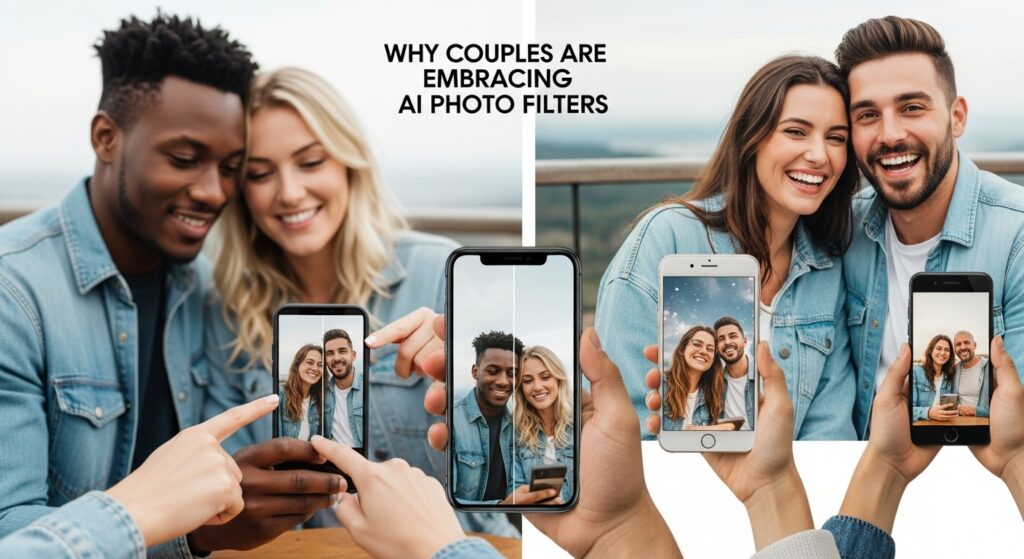
The surge in popularity of AI photo filters among couples stems from several compelling reasons, blending personal expression with modern digital trends.
Why It Matters: AI filters offer a fresh avenue for couples to engage with their memories, creating content that is both personal and shareable. They transform mundane photos into extraordinary visual narratives, strengthening bonds through shared creative experiences.
- Novelty and Fun: AI filters provide a playful way to experiment with shared photos. The unexpected transformations can be amusing and lead to shared laughter and conversation, making the photo creation process an enjoyable activity in itself.
- Real-World Example: A couple using an age-progression filter to see what they might look like decades from now, sparking discussions about their future together.
- Personalized Content Creation: Beyond standard edits, AI filters allow couples to generate unique, personalized content that stands out on social media or in personal digital albums. This helps them express their relationship’s unique dynamic and style.
- Real-World Example: Transforming a vacation photo into a whimsical anime scene that captures the dreamlike quality of their trip.
- Creative Expression: For many, these filters are a form of digital art, allowing couples to explore different aesthetic possibilities for their photos without needing advanced graphic design skills.
- Real-World Example: Applying an oil painting filter to a candid moment, turning it into a timeless piece of digital art suitable for printing.
- Social Media Engagement: Unconventional and visually striking photos tend to garner more attention and interaction on social platforms. Couples use these filters to share their relationship creatively and engage with their audience.
- Real-World Example: Posting a “before and after” of an AI-filtered photo on Instagram, inviting comments and reactions from friends and followers.
- Memory Reinvention: AI filters can give old photos a new lease on life, transforming cherished memories into fresh, engaging visuals that can be re-appreciated from a different perspective.
- Real-World Example: Taking an old engagement photo and running it through a fantasy art filter, reimagining their special day with a magical touch.
Pro Tip:
When selecting photos for AI filtering, consider images with clear facial features, good lighting, and expressions that align with the filter’s intended mood. A high-quality original photo will almost always yield a better AI-generated result.
Popular AI Filter Trends for Couples
The landscape of AI filters is constantly evolving, with new styles and functionalities emerging regularly. However, several trends have consistently captured the imagination of couples.
Cartoon and Anime Styles
This trend transforms real-life photos into characters resembling those from Western cartoons or Japanese anime.
Definition: AI algorithms analyze facial structures, hair, and clothing, then re-render them with the distinctive exaggerated features, bold outlines, and vibrant colors characteristic of animation.
Why It Matters: It offers a whimsical and often adorable way for couples to see themselves as characters in their own animated story. It’s particularly popular for creating playful avatars or celebrating a shared love for animation.
How to Do It: Apps like ToonMe, CapCut, and sometimes even Snapchat’s specialized lenses offer robust cartooning capabilities. Users typically upload a photo, select a cartoon style, and the AI processes the transformation.
Real-World Example: A couple on a picnic transformed into cheerful, wide-eyed anime characters enjoying their lunch under a stylized cherry blossom tree.
Vintage and Retro Aesthetics
These filters apply styles reminiscent of past eras, from sepia-toned 1920s glamour to vibrant 1980s neon.
Definition: AI emulates the look of old film cameras, specific photographic processes, or graphic design trends from decades past, adding grain, light leaks, color shifts, and sometimes even texture overlays.
Why It Matters: It allows couples to evoke a sense of nostalgia, create timeless-looking photos, or simply experiment with aesthetics from different historical periods.
How to Do It: Many general-purpose photo editors with AI capabilities, like Remini or even Instagram’s advanced editing features combined with AI plugins, can achieve these looks. Users often choose presets named after decades or film types.
Real-World Example: A modern couple’s engagement photo given a faded, grainy, and slightly desaturated look, as if it were taken on a vintage film camera in the 1970s.
Fantasy and Sci-Fi Transformations
This trend transports couples into fantastical worlds, portraying them as elves, superheroes, cyberpunk characters, or inhabitants of mythical realms.
Definition: Advanced AI models integrate user faces onto pre-designed character models or generate entirely new environments and costumes based on prompts, often leveraging diffusion models.
Why It Matters: It’s a highly creative way to express shared interests in genre fiction, role-playing, or simply to indulge in imaginative escapism.
How to Do It: Apps like Midjourney, Stable Diffusion (with custom models), or specialized AI art generators (e.g., Lensa’s magic avatars for a period) are often used. This can sometimes involve more complex prompting.
Real-World Example: A couple’s portrait re-envisioned as two powerful sorcerers standing side-by-side in a mystical forest, complete with glowing staffs and flowing robes.
Age Progression and Regression
These filters modify facial features to show how individuals might look older or younger.
Definition: AI analyzes current facial characteristics and extrapolates or interpolates changes associated with aging (wrinkles, skin texture, hair color) or youth (smoother skin, fuller cheeks).
Why It Matters: It’s a fascinating and often emotional experience for couples to visualize their future together or playfully imagine their younger selves.
How to Do It: FaceApp is a prominent example, known for its realistic age transformation features. Users upload a photo, select the “age” filter, and choose “older” or “younger.”
Real-World Example: A couple sharing a laugh as they see themselves with gray hair and more defined laugh lines, prompting conversations about growing old together.
Artistic Renditions (Paintings, Sketches)
This category transforms photos into various art forms, such as oil paintings, watercolors, pencil sketches, or mosaics.
Definition: AI learns the stylistic brushstrokes, color palettes, and textural qualities of famous artists or general art movements and applies these to a photograph.
Why It Matters: It allows couples to create gallery-worthy art from their photos without needing artistic talent, turning cherished memories into unique decorative pieces.
How to Do It: Apps like Prisma, ToonMe (with specific art filters), or even certain features within Adobe Photoshop powered by AI can achieve these effects. Users choose an artistic style and apply it.
Real-World Example: A photo of a couple walking hand-in-hand through a park rendered in the vibrant, expressive style of an Impressionist painting.
Choosing the Right AI Filter App for Couples
With a multitude of AI filter apps available, selecting the most suitable one requires considering specific features and functionalities.
Key Features to Look For
- Couple-Centric AI: Does the app handle multiple faces well? Some filters struggle when more than one person is in the frame, applying effects inconsistently. Look for apps specifically designed to recognize and process multiple individuals smoothly.
- Variety of Filters: Does it offer a diverse range of styles (cartoon, vintage, fantasy, age, etc.) that appeal to both partners’ interests?
- User-Friendliness: Is the interface intuitive and easy to navigate, even for those new to AI photo editing?
- Quality of Output: Does the AI produce high-resolution, convincing transformations, or are the results often pixelated or artificial-looking?
- Privacy Policy: Understand how the app handles your uploaded photos. Are they stored, or are they processed and then deleted? This is crucial for personal photos.
- Cost and Subscription Models: Many advanced AI features are behind paywalls or subscriptions. Evaluate if the features justify the cost.
Recommended AI Photo Apps
While the market constantly changes, these apps are frequently cited for their AI filtering capabilities:
- FaceApp: Renowned for realistic age transformation, gender swap, and subtle beauty filters. Excellent for couple photos, handling multiple faces well.
- ToonMe: Specializes in cartoon and caricature styles, offering a wide array of animated transformations that work effectively for couples.
- Remini: Primarily focuses on enhancing photo quality and restoring old photos, but its AI also offers some stylistic transformations, particularly useful for giving old couple photos a new look.
- CapCut: A popular video editing app that has integrated robust AI image and video effects, including cartoon and artistic filters. Its ease of use makes it accessible.
- Prisma: One of the pioneers in artistic style transfer, transforming photos into the styles of famous paintings. Great for turning couple photos into unique art pieces.
- Lensa AI: Known for its “Magic Avatars” which generate various artistic and fantastical styles from user selfies, often working well for individual transformations that can be combined or inspire couple themes.
- Photoshop (with AI plugins/features): For professional-level editing, Adobe Photoshop increasingly incorporates AI features for smart selection, sky replacement, and generative fill, which can be combined with third-party AI art plugins for advanced couple photo manipulation.
Warning:
Always review the terms of service and privacy policy of any app before uploading personal photos, especially those containing identifiable individuals. Ensure you are comfortable with how your data might be used or stored.
Step-by-Step Guide to Applying AI Couple Filters
Applying AI filters is generally straightforward, but following a structured approach can help you achieve the best results.
Step 1: Select Your Best Couple Photo
Choose a high-resolution photo where both individuals are clearly visible, well-lit, and preferably looking at the camera or each other. Avoid overly busy backgrounds if the filter modifies the environment.
- Why It Matters: Clear, well-composed photos provide the AI with optimal data, leading to more accurate and aesthetically pleasing transformations.
- Real-World Example: A portrait-style photo of a couple smiling directly at the camera, taken in good natural light.
Step 2: Choose Your AI Filter App
Based on the desired style and your assessment from the previous section, open the chosen app on your smartphone or computer.
- Why It Matters: Different apps excel at different types of filters. Using the right tool for the job ensures better results and a more efficient workflow.
- Real-World Example: For a cartoon style, you might open ToonMe; for age progression, FaceApp.
Step 3: Experiment with Different Filters
Most apps present a gallery of filters or styles. Tap or click through various options to see real-time previews or generated results.
- How to Do It: Upload your chosen photo. Navigate to the filter section. Apply different filters one by one. Observe how the AI transforms both individuals.
- Real-World Example: In ToonMe, a couple might try five different cartoon styles before settling on one that best captures their expressions.
Step 4: Refine and Adjust
Many AI apps allow for post-filter adjustments such as intensity, color balance, or minor retouching.
- How to Do It: Look for sliders or options to fine-tune the filter’s effect. Sometimes, reducing the intensity slightly can make the result more natural or artistic.
- Real-World Example: After applying a vintage filter, the couple might slightly reduce the grain effect or adjust the sepia tone to better suit their preference.
Step 5: Save and Share
Once satisfied, save the filtered image to your device’s gallery. You can then share it directly from the app or upload it to your preferred social media platform.
- Why It Matters: This step finalizes your creation and makes it accessible for viewing, printing, or sharing.
- Real-World Example: The couple saves their fantasy-themed photo and then shares it on Instagram with a relevant hashtag and a playful caption.
Optimizing Your AI Filter Results
While AI is powerful, its output is heavily influenced by the input. Follow these guidelines to consistently achieve superior results:
- Start with High-Quality Photos: The clearer, sharper, and better-lit your original photo, the more detail the AI has to work with, leading to higher-fidelity transformations.
- Ensure Good Lighting: Even, soft lighting (like natural daylight) without harsh shadows or overexposure provides the AI with consistent data, preventing strange artifacts or patchy effects.
- Clear Facial Features: Make sure faces are unobstructed, not blurry, and facing reasonably forward. If faces are obscured or at extreme angles, the AI may struggle to apply features correctly.
- Consistent Expression and Pose: For filters that alter expressions or entire body postures, a consistent original pose or expression makes the AI’s job easier and the transformation more believable.
- Experiment with Multiple Photos: If one photo doesn’t yield a desired result, try another. The AI’s interpretation can vary significantly based on subtle differences in the source image.
- Understand Filter Limitations: Not every filter will work perfectly with every photo. Some filters are best suited for close-up portraits, while others might do better with full-body shots.
Pro Tip:
For duo photos, ensure both faces are approximately the same size and at similar angles within the frame. This helps the AI apply effects consistently to both individuals, avoiding discrepancies in styling or distortion.
Expert Improvement Tips
Beyond the basics, these strategies can help couples make the most of AI filters and enhance their creative output.
- Thematic Consistency Across a Series: Instead of just one-off transformations, consider using AI filters to create a themed series of photos. For instance, apply the same cartoon style to several photos depicting different relationship milestones (first date, engagement, wedding). This tells a richer visual story and showcases a coherent artistic vision.
- Combine AI Filters with Manual Editing: Don’t view AI filters as the final step. Often, a generated image can be further enhanced with traditional photo editing. Adjust brightness, contrast, saturation, or crop the image after the AI transformation to refine the aesthetic and match your personal taste. Sometimes, a subtle vignette or a slight color shift can dramatically improve the final look.
- Leverage AI for Inspiration, Then Recreate: Use AI filters to generate ideas or concepts (e.g., a fantasy art style you love). Then, consider if you can recreate a similar effect with a professional editor or even a local artist, offering a more personalized and unique touch. This moves beyond passive consumption to active creation, using AI as a brainstorming partner.
- Explore Advanced AI Generators for Customization: If standard app filters are too restrictive, explore more advanced generative AI tools (like Midjourney or Stable Diffusion). These often require text prompts, allowing you to describe your desired couple transformation with incredible detail (e.g., “photo of a couple smiling, in the style of a whimsical watercolor painting, ethereal lighting, soft colors”). This offers unparalleled creative control.
- Print and Display Your AI Art: Digital art can be fleeting. Give your AI-filtered couple photos a tangible presence by printing them. Consider different mediums like canvas, metal prints, or high-quality photo paper. Displaying these unique creations can add a personalized, artistic touch to your home decor and serve as a constant reminder of shared memories and creativity.
Conclusion
AI filters have profoundly transformed how couples can interact with and personalize their shared photographs. From whimsical cartoons to timeless vintage aesthetics, and from imaginative fantasy transformations to playful age progressions, these tools offer a vibrant canvas for expressing your unique bond. By understanding how these filters work, discerning the best applications for your needs, and following practical application steps, you can confidently navigate the exciting world of AI-powered photo editing. Remember to prioritize high-quality input, experiment widely, and consider the artistic and personal impact of your chosen transformations. Embrace these trends not just as fleeting digital fads, but as powerful instruments for creating lasting, imaginative tributes to your relationship.
FAQ
Q1: Are AI photo filters safe to use with personal couple photos?
A1: Most reputable AI photo filter apps use secure processing methods, but it’s crucial to read their privacy policy. Some apps process photos on their servers and then delete them, while others might store them temporarily. Always be aware of how your data is handled, especially with highly personal images. If you have concerns, use apps that clearly state strong data privacy and deletion policies.
Q2: What are the best AI filter apps specifically for couples?
A2: Apps like FaceApp, ToonMe, CapCut, and Remini are highly recommended. FaceApp excels at facial transformations like aging and gender swap, which can be fun for couples. ToonMe is great for cartoon styles. CapCut offers a range of artistic filters, and Remini can restore and enhance old couple photos. Always check recent reviews and updates for the latest and best options.
Q3: Do I need to pay for good AI filters, or are there free options?
A3: Many apps offer a selection of free filters, often with watermarks or limitations. However, the most advanced, high-quality, or specialized AI filters typically require a subscription or one-time purchase. Free trials are often available, allowing you to test premium features before committing financially.
Q4: Can AI filters accurately transform both people in a couple photo?
A4: Yes, modern AI algorithms are generally very good at recognizing and processing multiple faces in an image, often applying the selected filter consistently to both individuals. For optimal results, ensure both faces are clearly visible, well-lit, and not obstructed in the original photo.
Q5: What kind of photos work best with AI couple filters?
A5: Photos with good lighting, clear focus on the faces, and relatively simple backgrounds tend to yield the best results. High-resolution images provide the AI with more detail to work with, leading to smoother and more convincing transformations. Portraits or photos where the couple is the main subject are ideal.
Q6: Can I use AI filters on old, low-resolution couple photos?
A6: Yes, some AI apps like Remini specialize in enhancing and upscaling old or low-resolution photos before applying stylistic filters. While results can vary, AI can often breathe new life into cherished old memories, making them suitable for further artistic transformation.
Q7: How do AI cartoon filters work, and can they create specific cartoon styles (e.g., Disney, Pixar)?
A7: AI cartoon filters use deep learning models trained on vast datasets of cartoon imagery. They learn the stylistic characteristics (exaggerated features, bold lines, simplified colors) and apply them to your photo. While some apps offer general cartoon styles, others might have models specifically trained on popular styles like Disney or anime, providing a more targeted aesthetic.
Q8: What are the potential downsides of using AI photo filters for couples?
A8: Potential downsides include privacy concerns (as discussed), potential for unrealistic or distorted results if the AI misinterprets features, and the risk of over-reliance on filters to the point where original photos are less appreciated. Some users might also find the “AI look” to be too generic or artificial for certain cherished memories.
Q9: Can I print AI-filtered couple photos? What quality can I expect?
A9: Yes, you can absolutely print AI-filtered photos. The quality will depend on the original photo’s resolution and the output resolution of the AI app. Many modern apps allow you to save high-resolution versions suitable for printing. For best results, always download the highest possible quality output from the app before printing.
Q10: How can I ensure my AI-filtered photos don’t look too artificial or “fake”?
A10: To avoid an overly artificial look, start with a natural, well-taken photo. Choose filters that complement the original photo’s mood or aesthetic rather than drastically changing it. Experiment with reducing the filter’s intensity if the app allows it. Sometimes, subtle enhancements are more impactful than extreme transformations.