The relentless demand for fresh, engaging content on Instagram presents a significant challenge for creators, businesses, and influencers alike. Maintaining a consistent feed, crafting visually stunning posts, and keeping pace with fleeting trends often requires substantial time, resources, and a continuous flow of creative inspiration. Whether you are a small business owner striving for brand visibility, a budding influencer seeking to expand your reach, or a content creator battling creative fatigue, the pressure to produce high-quality, eye-catching visuals can be overwhelming. Traditional photography involves equipment, location scouting, models, and editing software, all of which come with considerable costs and learning curves. Stock photo libraries offer convenience but often lack originality or brand specificity, resulting in generic visuals that fail to capture audience attention.
This guide provides the definitive methodology for leveraging the power of Google Gemini and Meta AI to overcome these content creation hurdles. Imagine transforming a simple text description into a stunning, unique image perfectly tailored for your Instagram feed – all within minutes and without incurring any costs for photography or complex design tools. This is not merely a theoretical exploration; it is a practical, step-by-step instructional resource designed to empower you with actionable strategies, detailed prompt structures, and expert insights. By the end of this comprehensive article, you will possess the knowledge and skills to master AI prompting, significantly reduce your content creation time, and generate a continuous stream of engaging, high-quality visual content that resonates with your Instagram audience. This guide is your complete blueprint for making artificial intelligence a powerful ally in your quest for Instagram success.
The Foundation: Understanding Generative AI for Instagram
Before diving into specific prompting techniques, it is essential to establish a clear understanding of what generative AI is and why its application in image creation is particularly impactful for Instagram. Grasping these foundational concepts will enable you to interact more effectively with these sophisticated tools.
A. What is Generative AI for Image Creation?
Generative AI for image creation refers to artificial intelligence models capable of producing novel visual content from text descriptions, also known as prompts. Unlike traditional image editing software that modifies existing images, generative AI creates entirely new ones from scratch based on the instructions it receives.
Definition: Generative AI models, specifically text-to-image models, are advanced neural networks trained on vast datasets of images and their corresponding textual descriptions. This training allows them to understand the complex relationship between words and visual concepts, enabling them to “imagine” and create images that align with textual input.
Why it Matters for Instagram:
- Overcomes Content Creation Bottlenecks: It removes the need for expensive photoshoots, graphic designers, or extensive stock photo searches.
- Ensures Visual Consistency: By using consistent prompting strategies, you can generate images that adhere to your brand’s aesthetic, maintaining a cohesive look across your Instagram feed.
- Allows Rapid Experimentation: Test various visual concepts, styles, and moods quickly without significant investment.
- Democratizes High-Quality Visuals: Even individuals or small businesses with limited budgets can access professional-grade imagery.
- Boosts Creativity: It acts as a creative partner, suggesting visual interpretations you might not have considered.
How it Works (Simplified): At its core, text-to-image generation often employs a process known as diffusion. Imagine starting with a screen full of random noise (like static on an old TV). The AI model then iteratively “denoises” this image, gradually transforming the noise into a coherent picture that matches the prompt’s description. It learns to recognize patterns and objects, color schemes, lighting conditions, and artistic styles from its training data, applying this knowledge to synthesize new visuals.
Real-world Example: Instead of spending hours searching for the perfect stock photo of a “minimalist desk setup with a glowing laptop and a plant,” you can simply type that description into a generative AI tool. Within seconds, the AI will create several unique images that fit your criteria, each distinct and ready for immediate use.
B. Why Gemini & Meta AI for Instagram?
While numerous generative AI tools exist, Google Gemini and Meta AI offer distinct advantages that make them particularly relevant and powerful for Instagram content creators.
Google Gemini:
- Advanced Multimodal AI: Gemini is Google’s most advanced AI model, designed from the ground up to be multimodal. This means it can understand and operate across different types of information, including text, code, audio, image, and video. For image generation, this multimodal capability often translates to a richer understanding of complex prompts and nuanced requests.
- Strong for Diverse Imagery: Gemini excels at generating a wide variety of image styles, from photorealistic to artistic, abstract to specific product shots. Its extensive training data allows for highly adaptable outputs.
- Integrates with Google Ecosystem: As part of the Google ecosystem, Gemini may eventually offer deeper integrations with other Google services, potentially streamlining content workflows for those already using Google Workspace or other Google tools.
- Accessibility: Gemini offers a user-friendly interface, making it accessible even for those new to AI prompting.
Meta AI:
- Direct Integration within Meta Ecosystem: The primary and most compelling advantage of Meta AI (specifically its image generation feature, often accessed via
/imaginein chat) is its direct integration into Meta’s family of apps: Instagram, Messenger, and WhatsApp. This means you can generate images in real-time without leaving your preferred social media environment. - Real-time Generation: The in-chat
/imaginefunctionality allows for incredibly fast ideation and creation. You can generate multiple image variations in quick succession, making it ideal for dynamic content like Instagram Stories or quick feed updates. - Familiarity for Meta Users: For anyone already accustomed to using Instagram’s features, interacting with Meta AI often feels intuitive, as it leverages existing chat interfaces.
Comparative Advantage for Instagram: Both Gemini and Meta AI offer distinct benefits that directly address Instagram content needs. Gemini provides a powerful, versatile engine for high-quality, detailed imagery, suitable for foundational feed posts or more complex visual campaigns. Meta AI, with its seamless in-app integration, offers unparalleled speed and convenience for on-the-fly content, Story backgrounds, or quick visual brainstorming. By understanding how to leverage both, you gain a comprehensive toolkit for all your Instagram visual needs.

The Anatomy of a Powerful AI Prompt for Instagram
Generating high-quality, relevant images with AI is not about luck; it is about crafting precise, descriptive prompts. A powerful AI prompt acts as a blueprint, guiding the generative model to produce the exact visual output you envision. The quality of your output is directly proportional to the clarity and detail of your input.
Definition: An AI prompt is a specific text command or set of instructions provided to a generative AI model, directing it to create a particular image, text, or other form of content. For image generation, it describes the desired visual elements, style, mood, and technical specifications.
Why it Matters: Precision in prompting is paramount because it reduces ambiguity for the AI, leading to more accurate and desirable results. A well-constructed prompt minimizes the need for extensive iteration and produces outputs closer to your original vision, saving time and effort. Conversely, vague or poorly structured prompts often yield generic, irrelevant, or visually unappealing images.
How to Structure: An effective AI prompt for image generation comprises several key components. While not every component is necessary for every prompt, understanding each one allows you to build comprehensive and targeted instructions.
A. Subject & Focus
This is the most critical element, clearly defining the main object, person, or theme of your image.
- How to Do It: Use specific nouns and descriptive adjectives. Avoid generic terms where specificity is possible.
- Real-world Example:
- Vague: “Dog”
- Better: “A golden retriever puppy”
- Even Better: “A playful golden retriever puppy with bright eyes and a wagging tail”
B. Style & Aesthetic
Dictate the overall visual feel and artistic treatment of the image. This influences color palette, textures, lighting, and general appearance.
- How to Do It: Use keywords describing artistic styles, photography genres, or visual aesthetics.
- Real-world Example:
- Keywords: “photorealistic,” “watercolor,” “cyberpunk,” “vintage,” “minimalist,” “cinematic,” “cartoon,” “pixel art,” “pastel color palette,” “moody lighting,” “bright and airy.”
- Prompt Segment: “photorealistic product photography,” “anime style illustration,” “minimalist flat lay with muted tones.”
C. Setting & Environment
Describe where the subject is located. This provides context and background details.
- How to Do It: Detail the background, landscape, interior, or exterior environment.
- Real-world Example:
- Keywords: “in a bustling city street,” “on a serene mountain peak,” “inside a cozy cafe,” “against a futuristic cityscape,” “on a white studio background.”
- Prompt Segment: “a golden retriever puppy playing on a grassy field with a distant forest,” “a minimalist coffee cup on a weathered wooden table inside a sunlit bakery.”
D. Mood & Emotion
Convey the emotional tone or atmosphere you want the image to evoke.
- How to Do It: Use adjectives that describe feelings or ambiance.
- Real-world Example:
- Keywords: “joyful,” “melancholy,” “energetic,” “calm,” “mysterious,” “inspiring,” “cozy,” “dramatic.”
- Prompt Segment: “a scene exuding tranquility and peace,” “an energetic and vibrant atmosphere,” “with a sense of wonder.”
E. Composition & Perspective
Specify how the shot is framed and the viewpoint from which the image is taken.
- How to Do It: Use photography terms to describe framing and angle.
- Real-world Example:
- Keywords: “close-up,” “wide shot,” “macro shot,” “bird’s eye view,” “low angle,” “eye-level,” “rule of thirds,” “leading lines,” “symmetrical composition.”
- Prompt Segment: “close-up, eye-level, focusing on the dog’s face,” “wide shot, dramatic lighting, showcasing the vast landscape.”
F. Technical Details (Optional but Powerful)
These elements mimic real-world camera settings and lighting techniques, adding a layer of realism and professionalism.
- How to Do It: Include specific photography jargon.
- Real-world Example:
- Keywords: “85mm lens,” “bokeh effect,” “shallow depth of field,” “golden hour lighting,” “studio lighting,” “cinematic lighting,” “high dynamic range (HDR),” “sharp focus.”
- Prompt Segment: “shot on a DSLR, f/1.8 aperture, soft natural lighting, bokeh background,” “with a subtle vignette, professional studio lighting.”
G. Brand Elements/Specifics (If Applicable)
While direct logo generation is still a challenge for most AIs, you can describe specific colors, textures, or unique objects that align with your brand.
- How to Do It: Describe these elements explicitly within the prompt.
- Real-world Example:
- Prompt Segment: “a product with a specific matte navy blue and copper packaging,” “a character wearing a minimalistic white t-shirt with a geometric pattern on the chest,” “a laptop on a desk, next to a coffee mug with a subtle, abstract green leaf design.”
H. Negative Prompts (The “Don’ts”)
These instruct the AI on what to avoid in the generated image. Not all AI models explicitly support negative prompts in the same way, but thoughtful positive phrasing can often achieve similar results. Gemini often allows for more direct negative phrasing.
- How to Do It: Specify elements you do not want to appear in the image.
- Real-world Example:
- Keywords (for tools that support them): “no blurry elements,” “no distorted faces,” “no text,” “no human figures.”
- Alternatively (for models with less explicit support): Ensure your positive prompt is so precise that it leaves no room for undesirable elements. If you want a “clean, simple background,” explicitly avoid mentioning “busy streets” or “crowds.”
By meticulously constructing prompts using these components, you elevate your interaction with AI from a guessing game to a precise creative process, yielding results that are highly optimized for your Instagram content strategy.
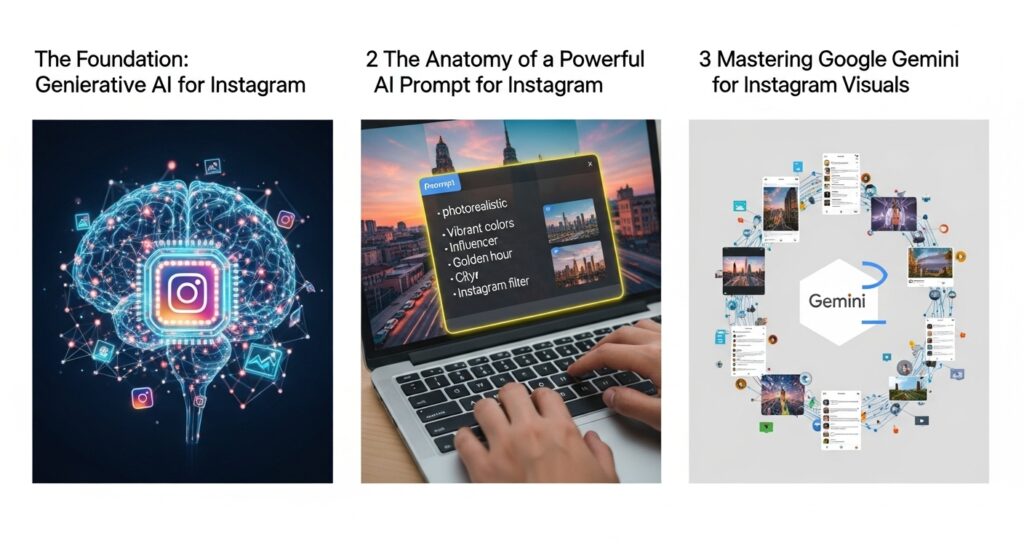
Mastering Google Gemini for Instagram Visuals
Google Gemini, with its advanced capabilities and comprehensive understanding, is an exceptional tool for generating high-quality Instagram visuals. Its strength lies in processing complex descriptions and producing detailed, nuanced imagery.
A. Accessing Gemini for Image Generation
Accessing Gemini for image generation is straightforward, typically done through its dedicated web interface.
Step-by-Step:
- Navigate to Gemini: Open your web browser and go to
gemini.google.com. Ensure you are logged in with your Google account. - Start a New Conversation: You will likely land on the chat interface. If not, start a new chat.
- Enter Your Prompt: In the text input box, simply type your desired image description. There is no special prefix needed like
/imagineas in Meta AI. Gemini intelligently recognizes when you are asking for an image. For instance, you could type, “Generate an image of…” or simply start with your description. - Initiate Generation: Press Enter or click the send button. Gemini will process your request and typically present you with several image variations.
- Review and Refine: Examine the generated images. If they are not quite what you envisioned, you can refine your prompt by adding more details, changing stylistic elements, or even directly instructing Gemini to “Make it brighter,” “Change the perspective,” or “Try a different style.”
Interface Overview: The Gemini interface is chat-based, which makes iterative refinement very natural. You provide a prompt, it generates, and you respond with further instructions. This conversational flow is one of its key strengths. It typically provides multiple image options (e.g., 2-4) for each generation, allowing you to choose the best fit or identify elements to refine.
B. Prompting Strategies Specific to Gemini
Gemini’s sophistication allows for, and often benefits from, more detailed and descriptive prompts compared to some simpler AI image generators.
- Longer, Descriptive Prompts: Gemini’s multimodal nature means it can better understand context and nuance. Do not shy away from adding significant detail regarding subject, setting, style, mood, and technical specifications. The more descriptive you are, the more precisely Gemini can align with your vision.
- Multimodal Input (Advanced/Future): While not universally available for public users in all regions for image generation, Gemini’s core multimodal capability means it can interpret various input types. In some contexts, you might be able to upload an inspiration image and ask Gemini to generate something similar but different, or to generate images in the style of a provided image. Keep an eye on future updates for wider accessibility of such features.
- Iterative Refinement: This is where Gemini shines. After an initial generation, treat it as a conversation.
- “Make the lighting softer.”
- “Add a subtle bokeh effect to the background.”
- “Change the color scheme to cool blues and greens.”
- “Show it from a slightly higher angle.”
- “Generate more variations of image number 3, but with a more vintage filter.”
C. Gemini Real-World Prompt Examples for Instagram
Let’s explore some detailed prompt examples tailored for various Instagram content types, demonstrating Gemini’s capabilities.
1. Lifestyle Brand (Product Placement & Ambiance)
Goal: Generate a high-quality image suitable for a brand selling artisanal coffee or cozy home goods, emphasizing comfort and aesthetics.
- Prompt: “Photorealistic image of a young woman (mid-20s, diverse ethnicity) enjoying a cup of artisanal coffee on a sunlit balcony overlooking a serene city park. She is wearing comfortable, minimalist loungewear. The setting is modern minimalist with warm wooden accents and soft textiles. Soft morning light streams in, creating gentle shadows. Shallow depth of field with a beautiful bokeh effect in the background, focusing on the woman and her coffee. The overall feeling should be calm, relaxed, and inviting. Shot on a prime lens (50mm), F/1.4 aperture.”
- Expected Output & Analysis: Gemini would likely produce an image with a naturalistic feel, sharp focus on the subject, and a pleasantly blurred background. The specific details like “mid-20s, diverse ethnicity,” “minimalist loungewear,” “warm wooden accents,” and “soft morning light” provide enough information for a highly tailored output, avoiding generic stock imagery. The technical camera details further enhance the photographic quality.
2. Travel Influencer (Epic Landscape)
Goal: Create a breathtaking travel image that conveys adventure and scale.
- Prompt: “Cinematic wide shot of a solitary hiker standing atop a rugged mountain peak at sunrise, overlooking a vast, misty valley filled with vibrant orange, purple, and pink clouds. The hiker is silhouetted against the dramatic sky. The scene conveys an epic scale and a strong sense of adventure. Shot with a wide-angle lens (16mm), high dynamic range, with atmospheric perspective.”
- Expected Output & Analysis: Gemini would prioritize the grandeur of the landscape, the dramatic colors of sunrise, and the sense of solitude and accomplishment. The “cinematic” and “high dynamic range” keywords would push for a visually rich, professional-grade image. The silhouette of the hiker provides a focal point without needing to generate intricate facial details.
3. Food Blogger (Mouth-watering Dish)
Goal: Generate an appealing overhead shot of a healthy, beautifully presented meal.
- Prompt: “Overhead flat lay shot of a beautifully plated vegan brunch bowl. The bowl contains colorful fresh vegetables, sliced avocado, a sprinkle of sesame seeds, and delicate edible flowers. It is placed on a rustic light wooden table with a subtly textured linen napkin to one side. Soft, diffused natural light from a nearby window illuminates the scene. Bright and inviting aesthetic, with a shallow depth of field that subtly blurs the table edges.”
- Expected Output & Analysis: The “overhead flat lay” and specific ingredient descriptions guide Gemini to create a symmetrical, visually balanced composition. “Colorful fresh vegetables,” “edible flowers,” and “bright and inviting aesthetic” ensure the image is appetizing. The description of lighting and surface adds realism and polish.
4. Quote Card Background
Goal: Create an abstract, calming background image suitable for overlaying text.
- Prompt: “Minimalist background image for an inspiring quote. Features a subtle gradient from a soft light blue to a gentle creamy white, with delicate, abstract wisps of smoke or very soft clouds moving slowly across the frame. Clean, serene, high-resolution, with ample negative space for text overlay. Avoid any sharp edges or distracting elements.”
- Expected Output & Analysis: Gemini would focus on smooth transitions and a tranquil ambiance. The “ample negative space” is a critical instruction for usability. The absence of “sharp edges or distracting elements” ensures the background supports text without competing for attention.
D. Pro Tips for Gemini
- Experiment with Detail Levels: Start with a moderately detailed prompt, and if the results are too generic, add more specific adjectives, adverbs, and technical details. If they’re too busy, simplify.
- Use Verbs for Action: Instead of just describing objects, describe what they are doing. “A cat stretching gracefully” is more evocative than “a stretching cat.”
- Focus on Consistency for Brand Identity: For recurring content, save your most effective prompt structures. Adapt them slightly for new content to ensure a uniform visual language across your Instagram.
- Specify Image Type: Always include whether you want a “photorealistic image,” “illustration,” “digital painting,” “3D render,” etc., to guide Gemini’s artistic output.
Leveraging Meta AI for Instagram Visuals (Directly within Meta Apps)
Meta AI offers a distinctly different, yet equally powerful, approach to image generation, primarily characterized by its seamless integration into the Meta ecosystem. This makes it ideal for quick, on-the-fly content creation, especially for dynamic formats like Instagram Stories or fast feed updates.
A. Accessing Meta AI for Image Generation
Meta AI’s image generation feature is accessed directly within the chat interfaces of Instagram, Messenger, and WhatsApp. This integrated experience is its core strength.
Step-by-Step:
- Open a Chat: Go to a direct message (DM) conversation in Instagram, a chat in Messenger, or a chat in WhatsApp. You can create a new chat or use an existing one (even a chat with yourself for personal use).
- Type the
/imagineCommand: In the message input box, type/imaginefollowed by a space. This prefix is crucial and signals to Meta AI that you want to generate an image. - Enter Your Prompt: After
/imagine, type your image description. - Send the Message: Hit send. Meta AI will process your prompt within the chat and typically respond with four different image variations.
- Save or Refine: You can then save your favorite image directly to your device or continue the conversation to refine the results. For example, you might say, “Try again, but make it brighter” or “Show more variations of number 2.”
Integration Advantage: The key benefit here is the zero-friction workflow. You do not need to switch applications or interfaces. This speed and convenience are invaluable for creators who need to produce visuals rapidly to respond to trends or fill content gaps.
B. Prompting Strategies Specific to Meta AI
Given its in-app, real-time nature, Meta AI often benefits from a slightly different prompting approach than a more comprehensive tool like Gemini.
- Concise, Keyword-Rich Prompts: While Gemini handles lengthy descriptions well, Meta AI often responds effectively to more focused, punchy prompts. Prioritize strong keywords that convey the subject, style, and essential mood. Think of it as painting with broad strokes initially.
- Emphasis on Style & Subject: Clearly define what you want to see and the desired aesthetic. Meta AI is adept at quickly generating images based on these core elements.
- In-Chat Iteration: The conversational nature is a powerful feature. Do not expect perfection on the first try. Use the ability to quickly ask for modifications or different takes on generated images. “Make it more vibrant,” “Change the time of day,” “Give me another set with a different angle.”
C. Meta AI Real-World Prompt Examples for Instagram
Here are examples demonstrating how to use Meta AI for quick, effective Instagram visuals.
1. Fashion Brand (Story/Reel Cover)
Goal: Generate a stylish, attention-grabbing image for a Reel cover or Instagram Story.
- Prompt:
/imagine a chic woman in a red trench coat walking confidently through a rainy Parisian street, cobblestones, blurred background, cinematic, fashion photography, evening lights. - Expected Output & Analysis: Meta AI would generate dynamic images emphasizing the fashion element and the Parisian backdrop. The “cinematic” and “fashion photography” keywords guide the style towards a professional look, while “rainy” and “evening lights” add atmosphere. This is perfect for a quick, eye-catching visual thumbnail.
2. Product Feature (Carousel Slide)
Goal: Create a clean, visually appealing image for a specific product spotlight in a carousel post.
- Prompt:
/imagine close-up shot of a new smartphone, sleek design, glowing screen displaying a futuristic interface, dark background, blue ambient light, high-tech aesthetic, clean. - Expected Output & Analysis: Meta AI excels at product representations. This prompt provides clear direction on the product (smartphone), its key feature (glowing screen, futuristic interface), and the desired aesthetic (dark, blue ambient light, high-tech). The “clean” keyword ensures a polished presentation without clutter.
3. Influencer Q&A Background (Story)
Goal: Generate a vibrant, engaging background for an interactive Instagram Story, leaving space for text or question stickers.
- Prompt:
/imagine abstract background, swirling vibrant colors, soft focus, dynamic, energetic, gradient, copy space in the center. - Expected Output & Analysis: Meta AI would deliver several abstract, colorful options. “Soft focus” ensures the background is not distracting, and “copy space in the center” is a crucial instruction for usability, allowing the creator to easily place text or interactive elements. This is a rapid way to customize story content.
4. Event Promotion (Feed Post)
Goal: Create an exciting visual to promote a music event.
- Prompt:
/imagine a vibrant music festival crowd under neon lights, confetti falling, energetic atmosphere, wide shot, bokeh effect, concert photography. - Expected Output & Analysis: The prompt focuses on the energy and visual elements of a music festival. “Neon lights,” “confetti,” and “energetic atmosphere” would be strongly represented. “Wide shot” and “bokeh effect” contribute to a professional concert photography feel, making the image highly engaging for event promotion.
D. Pro Tips for Meta AI
- Think “Quick Visual”: Use Meta AI for rapid prototyping, brainstorming visual concepts, and generating visuals for ephemeral content like Stories or Reels covers where speed is paramount.
- Utilize
/imaginePrefix Correctly: Always remember to start your prompt with/imaginein the chat interface. Without it, the AI will process your text as a regular message. - Keep Prompts Relatively Short and Punchy: While detail helps, Meta AI often grasps core concepts from more concise, keyword-rich prompts quickly. Get your initial concepts out, then refine.
- ** Leverage In-Chat Refinement:** Don’t hesitate to ask Meta AI to “Try again,” “Make it look like this,” or “Give me more options for the third image” within the same chat thread. This iterative process is highly efficient.
Advanced Prompting Techniques for Instagram Success
Moving beyond basic image generation, advanced prompting techniques allow you to fine-tune AI outputs, ensure brand consistency, and strategically plan content that tells a compelling story. These methods transform AI from a simple image generator into a sophisticated content partner.
A. Iterative Refinement: The Art of Conversation with AI
Rarely does the very first prompt yield a perfect, Instagram-ready image. The true power of generative AI lies in your ability to refine and guide it through a series of prompts.
Definition: Iterative refinement is the process of progressively modifying and enhancing your prompts based on the AI’s previous outputs. Instead of writing one static prompt, you engage in a conversational feedback loop, gradually shaping the image closer to your vision.
Why it Matters:
- Higher Accuracy: It allows you to correct misinterpretations and add nuances that were difficult to convey in a single prompt.
- Optimal Results: You can achieve a level of precision and customization that a one-off prompt cannot.
- Exploration: It helps you discover unforeseen creative possibilities by seeing how the AI interprets slight changes in your instructions.
How to Do It:
- Start Broad: Begin with a general prompt to establish the core subject and setting.
- Analyze Output: Carefully examine the generated images for what works and what does not.
- Add Specifics: Introduce details about style, lighting, mood, or composition based on your desired changes.
- Correct Imperfections: Address any undesirable elements using more precise language or, if supported, negative prompts.
- Repeat: Continue this cycle until you achieve the desired result.
Real-world Example (using Gemini’s conversational style):
- Initial Prompt: “Generate an image of a cozy coffee shop interior.”
- AI Output: (Generates a generic coffee shop, perhaps too modern)
- Refinement 1: “Make the coffee shop interior more vintage and rustic, with warm lighting and exposed brick.”
- AI Output: (Better, but perhaps no people)
- Refinement 2: “Add a barista preparing coffee in the background, out of focus. Ensure the overall mood is inviting and calm.”
- AI Output: (Close to perfect, but maybe the colors are off)
- Refinement 3: “Shift the color palette to be richer, with deep browns, warm oranges, and soft greens. Increase the ambient light slightly.”
This iterative process ensures that you are continuously guiding the AI, making it an extension of your creative thoughts rather than a black box.
B. Incorporating Brand Guidelines & Visual Identity
Consistency is key to a strong brand presence on Instagram. Generative AI can be a powerful tool for maintaining this visual identity, but it requires deliberate instruction.
Definition: Incorporating brand guidelines means using AI to create images that align with your established brand colors, fonts (for image backgrounds that will have text overlaid), aesthetic principles, and overall visual messaging.
Why it Matters:
- Builds Recognition: Consistent visuals make your brand instantly recognizable to your audience.
- Fosters Trust: A cohesive visual identity projects professionalism and reliability.
- Strengthens Messaging: Images that align with your brand values amplify your overall message.
How to Do It:
- Color Palettes: Explicitly mention your brand’s primary and secondary colors. “Predominantly light grey and teal color palette,” “Accented with hints of muted rose gold.”
- Aesthetic Keywords: Use words that describe your brand’s general look and feel. “Modern minimalist,” “Bohemian chic,” “Industrial grunge,” “Luxury opulent,” “Rustic farmhouse.”
- Specific Objects/Textures: If your brand frequently uses certain materials or props, include them. “Natural wood accents,” “Marble countertops,” “Velvet textures,” “Geometric patterns.”
- Lighting & Mood: Describe the typical lighting and emotional tone of your brand’s visuals. “Bright and airy natural light,” “Dramatic, low-key lighting,” “Warm and inviting ambiance.”
Real-world Example:
- Brand: A tech startup selling minimalist productivity tools.
- Prompt: “A minimalist workspace setup, clean lines, predominantly light grey and stark white color palette with subtle accents of vibrant teal. Features a sleek, modern laptop and a single potted succulent. The background is blurred, out-of-focus, suggesting a bright, organized home office. The overall aesthetic is professional, calm, and highly productive. Shot with bright, even natural light.”
C. Storytelling Through Sequential Images (Carousel Posts)
Instagram carousel posts offer a powerful way to tell a story or present information sequentially. AI can help create a cohesive visual narrative across multiple images.
Definition: This technique involves generating a series of images that share a consistent style and subject but depict a progression of events, different aspects of a concept, or a visual narrative.
Why it Matters: Carousels tend to have higher engagement rates on Instagram as users swipe through them. A visually cohesive story encourages prolonged interaction and deeper understanding of your content.
How to Do It:
- Maintain Consistency: Use the same core descriptive keywords for style, subject, and general environment across all prompts in the sequence.
- Vary the Action/Progression: Change one key element in each prompt to show movement, time passing, or different perspectives.
- Plan the Narrative: Before prompting, outline the visual steps of your story.
Real-world Example (A “Day in the Life” carousel for a wellness brand):
- Image 1 (Morning Routine):
- Prompt: “Photorealistic image, early morning, warm golden hour light streaming into a cozy, minimalist bedroom. A person (seen from behind) is gently stretching by a large window, silhouette visible against the sunrise. Soft, tranquil, and serene mood. Focus on comfort and new beginnings. Consistent style for all images.”
- Image 2 (Mid-day Work):
- Prompt: “Photorealistic image, mid-day, bright diffused natural light, a person working focused on a laptop in a vibrant, airy co-working cafe. They are sipping from a reusable water bottle. Slight bokeh in the background with other blurred people. Energetic yet calm productivity. Consistent style for all images.”
- Image 3 (Evening Relaxation):
- Prompt: “Photorealistic image, evening, soft ambient light from a table lamp and a fireplace glow. A person is comfortably reading a book on a plush armchair. Cozy and warm atmosphere, emphasizing relaxation and winding down. Consistent style for all images.”
By keeping the “photorealistic image” and “consistent style for all images” instructions, the AI will strive to create a cohesive set, while the distinct time of day, actions, and lighting convey the narrative progression.
D. Optimizing for Instagram Dimensions & Aesthetics
While AI models don’t always perfectly adhere to exact pixel dimensions, you can guide them to generate images that are visually suitable for Instagram’s various aspect ratios.
Definition: Tailoring prompts to encourage the AI to generate images with compositions and framing that naturally fit Instagram’s common aspect ratios (1:1 square, 4:5 vertical portrait, 9:16 vertical for Stories/Reels) and visual preferences (e.g., negative space for text).
Why it Matters:
- Avoid Awkward Cropping: Prevents important elements from being cut off.
- Maximize Visual Impact: Images that fit the screen properly are more engaging.
- Facilitates Design: Leaves space for text overlays, stickers, or branding elements.
How to Do It:
- Describe Composition: Use terms like “square composition,” “vertical portrait shot,” “wide landscape shot.”
- Consider Negative Space: Explicitly ask for negative space in specific areas if you plan to add text. “Ample negative space in the upper third for text overlay.”
- Frame for Specific Use Cases: “Suitable for Instagram Story,” “Ideal for a square feed post.”
Real-world Example:
- For a vertical feed post (4:5 ratio):
- Prompt: “A majestic waterfall cascading into a pristine turquoise pool, surrounded by lush green rainforest. Vertical portrait shot, emphasizing the height of the waterfall and the serene atmosphere. Clear blue sky visible in the top third, ample space for text overlay above the falls. Photorealistic, vibrant colors.”
- For an Instagram Story background (9:16 ratio):
- Prompt: “An abstract art background, vertical composition, with soft swirling gradients of lavender, peach, and cream. Centered open space, leaving room for text or stickers. Dreamy, ethereal, and high-resolution.”
Expert Improvement Tips for Viral Instagram Content
Leveraging Gemini and Meta AI is a powerful starting point, but truly mastering the art of generating viral Instagram content involves a blend of AI capability and human strategic thinking. These advanced tips will help you push the boundaries of what’s possible and ensure your AI-generated visuals stand out.
1. Combine AI Generation with Human Curation & Editing
Strategy: Recognize that AI is a highly efficient tool for generation, but not necessarily for finalization. Treat AI outputs as exceptional raw material rather than finished products.
- How to Implement: Generate multiple variations of an image using your AI tool. Select the best one or two, then import them into an image editing software like Adobe Lightroom, Photoshop, or even user-friendly platforms like Canva.
- Focus Areas for Human Editing:
- Color Grading: Apply consistent brand filters or color presets.
- Text Overlays: Add engaging captions, quotes, or calls to action using brand-approved fonts. AI struggles with perfect text generation directly within images.
- Subtle Retouching: Adjust exposure, contrast, saturation, or remove minor AI-generated imperfections.
- Logo/Branding: Seamlessly integrate your brand logo or specific graphical elements.
- Aspect Ratio Adjustment: Precisely crop and resize images for optimal Instagram display (1:1 for feed, 4:5 for vertical, 9:16 for Stories/Reels).
- Why it Matters: This hybrid approach ensures your content benefits from AI’s speed and versatility while retaining your unique human touch, brand consistency, and professional polish. It bridges the gap between raw AI output and a polished, branded asset.
2. Study Successful Instagram Visuals for Prompt Inspiration
Strategy: Deconstruct what makes popular and trending Instagram visuals successful, and then reverse-engineer those elements into effective AI prompts.
- How to Implement:
- Active Observation: Spend time analyzing top-performing posts in your niche or on the Explore page.
- Identify Core Elements: Break down images into their constituent parts:
- Subject: What is the main focus?
- Style: Is it photorealistic, artistic, minimalist, vibrant, muted?
- Composition: Is it a close-up, wide shot, flat lay, symmetrical? What is the angle?
- Lighting: Natural, studio, dramatic, soft?
- Color Palette: Dominant colors, complementary hues?
- Mood: What emotion does it evoke?
- Translate to Keywords: Convert these observations into specific keywords and phrases for your AI prompts. For instance, if you see many popular posts with “soft, ethereal lighting and pastel gradients,” incorporate those terms.
- Why it Matters: This proactive research helps you tap into proven visual trends and audience preferences, making your AI-generated content inherently more likely to perform well. It also expands your prompting vocabulary, leading to more sophisticated results.
3. Leverage Trend Forecasting for AI Prompts
Strategy: Stay ahead of the curve by integrating emerging visual trends into your AI prompts before they become saturated.
- How to Implement:
- Trend Monitoring: Follow industry reports (e.g., from Pinterest, Instagram, WGSN), design blogs, and cultural commentators. Look for shifts in aesthetics, color palettes, popular themes, and objects.
- “Trend Keywords”: If “cottagecore” is trending, generate images of “rustic cabin interiors, blooming wildflowers, soft vintage aesthetic.” If “biophilic design” is gaining traction, prompt for “modern workspace with abundant natural light and lush indoor plants.”
- Seasonal & Event-Based Trends: Plan prompts around upcoming holidays, seasons, or major events to ensure timely and relevant content.
- Why it Matters: Generating content aligned with current or upcoming trends significantly increases its discoverability and relevance, boosting potential for viral reach and engagement. AI’s speed allows you to capitalize on these fleeting opportunities rapidly.
4. Create a “Prompt Library” for Consistency & Efficiency
Strategy: Organize and document your most effective AI prompts, building a personal library of successful instructions.
- How to Implement:
- Document Everything: For every successful image generation, save the exact prompt you used.
- Categorize: Organize prompts by content type (e.g., product shot, lifestyle image, background graphic), style (e.g., minimalist, vibrant, vintage), or specific campaigns.
- Template Creation: Develop prompt templates for recurring needs. For example, a template for product photography might include placeholders for “[PRODUCT NAME], [BACKGROUND], [LIGHTING], [STYLE].”
- Version Control: Note any refinements or iterative changes that led to the best results.
- Why it Matters: A prompt library drastically reduces content creation time, ensures visual consistency across your brand, and serves as a valuable learning resource. It allows you to quickly recall and adapt proven formulas, guaranteeing high-quality output every time.
5. Understand AI Limitations and Adjust Expectations
Strategy: Be realistic about what current AI models can and cannot do, and plan your workflow accordingly.
- How to Implement:
- Complex Text: AI often struggles with rendering legible and accurate text within images. Plan to add text overlays separately using human editing tools.
- Specific Faces/Logos: Generating exact, consistent human faces or replicating specific brand logos perfectly is still a challenge for most public models. If these are critical, consider using real photography or graphic design for those elements.
- Intricate Scenes with Many Distinct Elements: While AI is improving, highly complex scenes with numerous specific, interacting objects can sometimes result in distorted or illogical compositions. Simplify your prompts or generate individual elements and composite them.
- Ethical Considerations: Always consider the ethical implications of using AI-generated content. Disclosure (e.g., “AI-generated image”) can build trust, especially for sensitive topics.
- Why it Matters: Acknowledging AI’s current limitations prevents frustration and allows you to optimize your workflow. By understanding these boundaries, you can use AI where it excels and supplement with human input where necessary, leading to a more efficient and effective content strategy.
Conclusion
The landscape of Instagram content creation has been fundamentally reshaped by the advent of generative artificial intelligence. As this comprehensive guide has detailed, mastering the art of prompting Google Gemini and Meta AI offers an unparalleled opportunity to streamline your visual content strategy, democratize high-quality imagery, and significantly boost your presence on one of the world’s most influential platforms.
You have learned that effective AI prompting is a precise craft, requiring an understanding of the individual components that make up a powerful instruction – from defining the subject and style to specifying technical details and even conveying mood. We explored how Google Gemini, with its deep multimodal understanding, excels at complex, detailed generations, while Meta AI, integrated directly into Instagram’s ecosystem, offers unmatched speed and convenience for real-time visual creation.
Furthermore, we delved into advanced techniques such as iterative refinement, leveraging your brand guidelines within prompts, crafting compelling visual stories for carousels, and optimizing images for Instagram’s specific dimensions. The expert tips provided emphasized the critical role of human curation and editing, the power of studying successful visuals, the advantage of integrating trend forecasting, and the efficiency gained from creating a robust prompt library.
The journey to generating viral Instagram photos is no longer solely dependent on expensive equipment or specialized skills. It is now accessible through intelligent prompting and strategic application of AI tools. I encourage you to begin experimenting with Gemini and Meta AI today. Start simple, iterate, learn from the outputs, and systematically build your repertoire of effective prompts. Embrace this powerful technology as an extension of your creativity, and watch as your Instagram presence transforms with a continuous stream of captivating, high-quality visuals. The future of Instagram content is here, and you are now equipped to lead it.
Frequently Asked Questions (FAQ)
1. Are Gemini and Meta AI image generation truly free?
Yes, as of 2024-2025, both Google Gemini (through gemini.google.com) and Meta AI (via /imagine in Meta apps) offer their image generation capabilities for free. These platforms are generally in a developmental or public beta phase, where free access is provided to encourage usage and gather feedback. However, it is important to note that the availability of free tiers can change, and companies may introduce paid plans or premium features in the future. Always refer to the official terms of service for the most current information regarding usage and costs.
2. Can I use AI-generated images for commercial purposes on Instagram?
Generally, yes, you can use AI-generated images from Gemini and Meta AI for commercial purposes on Instagram, such as promoting a product, service, or brand. However, you must review the specific Terms of Service (ToS) for each platform (Google Gemini and Meta AI). These ToS outline intellectual property rights, usage licenses, and any restrictions. Typically, the output you generate belongs to you or is granted a broad commercial license. It is also a good practice, and sometimes legally required for transparency, to disclose if an image is AI-generated, especially in contexts where authenticity might be questioned or for sponsored content (e.g., using “AI-generated image” or a similar disclaimer).
3. What’s the main difference between Gemini and Meta AI for Instagram visuals?
The main differences lie in their access/integration and prompting philosophy:
- Meta AI: Primarily integrated directly into Meta’s chat applications (Instagram DMs, Messenger, WhatsApp). It’s designed for quick, real-time generation using the
/imagineprefix in conversations. It often responds well to concise, keyword-rich prompts and is excellent for rapid prototyping or dynamic content like Stories. - Google Gemini: Accessed via a dedicated web interface (
gemini.google.com). It’s a more comprehensive multimodal AI, capable of handling longer, more detailed, and complex prompts. Gemini often provides richer, more nuanced outputs and benefits from iterative, conversational refinement. It’s ideal for foundational feed posts requiring high detail and specific aesthetics.
4. How do I ensure brand consistency with AI-generated images?
Ensuring brand consistency requires a systematic approach:
- Define Your Visual Identity: Clearly articulate your brand’s color palette, aesthetic (e.g., minimalist, vibrant, vintage), preferred lighting, and common design elements.
- Use Consistent Prompt Keywords: Incorporate these defined elements into every prompt. For example, always include “predominantly [Brand Color A] and [Brand Color B] palette,” or “modern minimalist style, natural light.”
- Create a Prompt Library: Document and save your most successful prompts for different content types. This allows for quick reuse and adaptation.
- Post-Generation Editing: Always perform a final round of human editing. Use image editing software (e.g., Canva, Lightroom) to apply brand-specific filters, color corrections, and logo placements to AI-generated images.
5. What if the AI generates something I don’t want or something inappropriate?
AI models have safety filters, but sometimes undesirable or even inappropriate content can slip through or be misinterpreted.
- Refine Your Prompt: If the output is simply not what you intended, refine your prompt. Be more specific about what you do want, and if the tool supports it, use negative prompts to specify what to avoid (“no blurry elements,” “no distorted faces”).
- Report Inappropriate Content: If you encounter genuinely inappropriate, offensive, or harmful content, use the reporting mechanisms provided by Google Gemini or Meta AI. This helps improve their safety filters and model behavior.
- Iterate or Start Over: Sometimes, it’s more efficient to discard an unsatisfactory generation and start with a fresh prompt or a significantly altered one rather than trying to salvage a flawed image.
6. Can AI generate images with text overlays or logos?
While AI image generators are constantly improving, they generally struggle significantly with generating legible, accurate text or specific brand logos directly within an image. AI-generated text often appears distorted, misspelled, or nonsensical.
- Recommendation: It is highly advisable to generate the visual background or core image using AI, and then add any text overlays, quotes, or brand logos separately using a dedicated graphic design tool (like Canva, Adobe Express, Photoshop, or even Instagram’s native text features). This ensures your text and branding are crisp, accurate, and perfectly aligned with your design.
7. How much time does it really save compared to traditional content creation?
The time savings can be enormous, often reducing hours or days of work to minutes.
- Traditional: Ideation (minutes to hours), photography/design (hours to days, plus setup), editing (hours).
- AI-Generated: Ideation (minutes), prompting (minutes), generation (seconds), light editing/refinement (minutes).
- For a single, high-quality image, AI can reduce creation time by 80-95%. For a campaign requiring multiple visual assets, the efficiency gains compound significantly. This allows creators to publish more consistently, experiment more freely, and repurpose content more effectively.
8. Do I need design skills to use these AI tools effectively?
No, you do not need formal design skills or a deep understanding of graphic design principles to start using Gemini or Meta AI effectively. The beauty of these tools is their accessibility. If you can describe what you want in plain language, you can generate images.
- However: A basic understanding of visual principles (like composition, color theory, and lighting) can help you write more effective prompts and make better choices when selecting and refining AI outputs. The more you learn about visual aesthetics, the more precise and professional your AI-generated images will become.
9. Is it ethical to use AI-generated images on Instagram without disclosure?
While currently there are no universal legal mandates requiring disclosure for all AI-generated content, it is generally considered best practice and ethical to disclose when an image is AI-generated, especially if it could be mistaken for real photography or if it’s part of a promotional campaign.
- Transparency builds trust: Audiences appreciate knowing the origin of content.
- Avoid Misinformation: It prevents unintended deception, particularly for sensitive topics or news-related content.
- Context Matters: For highly stylized or clearly fantastical imagery, disclosure might be less critical. However, for photorealistic images of people, events, or products, disclosure can be very important. Use a simple caption like “#AIgenerated” or “Image created with AI.”
10. What are the future trends for AI in social media content creation?
The future of AI in social media content creation is rapidly evolving:
- Hyper-Personalization: AI will generate content tailored specifically to individual user preferences and historical engagement.
- Advanced Video Generation: Moving beyond static images, AI will create short video clips, animations, and even full short-form videos from text prompts.
- Real-time Editing & Customization: AI will offer more sophisticated in-app editing capabilities, allowing users to modify generated images or videos with voice commands or simple gestures.
- Multi-Modal Content Blending: Seamless creation of content that combines text, images, audio, and video more intelligently.
- Predictive Content Creation: AI may analyze trends and audience behavior to proactively suggest and generate content themes that are likely to perform well.